WayPoint GPS BETA 2 v1.0.0.0 FS25

WayPoint GPS BETA 2 v1.0.0.0 FS25
WayPoint GPS Beta is a standalone GPS route guidance system for Farming Simulator 25.
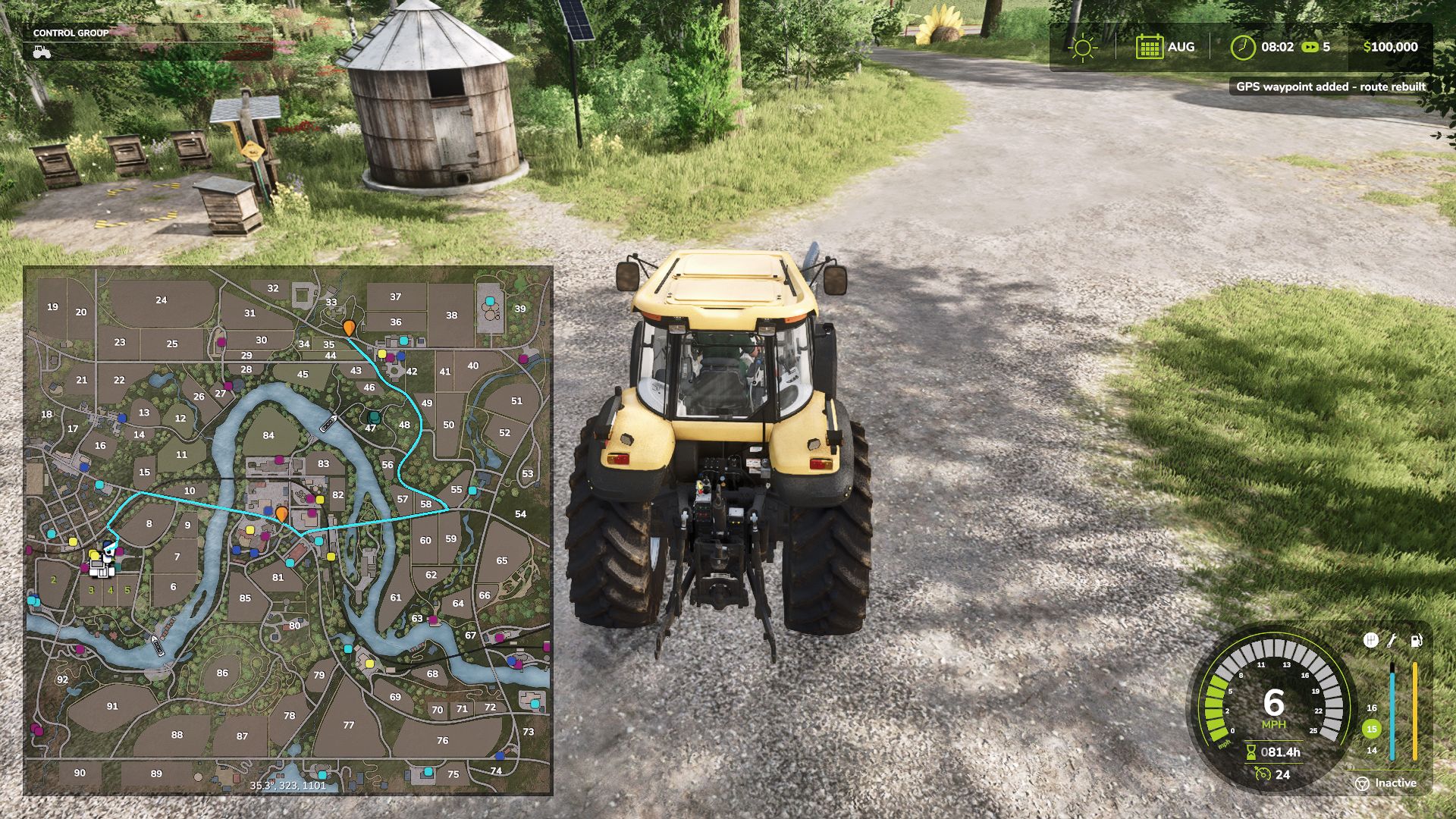
Open the full ESC map, hold CTRL, and click anywhere to set a GPS destination. WayPoint GPS will draw a clean route line on the minimap and map screen, giving you a visual driving guide without requiring any external routing mod.
This is a beta test release and is being shared for public testing and feedback before a wider release.
Features
Standalone GPS route system
CTRL + left click on the ESC map to set or add waypoints
SHIFT + left click on the ESC map to remove the last waypoint
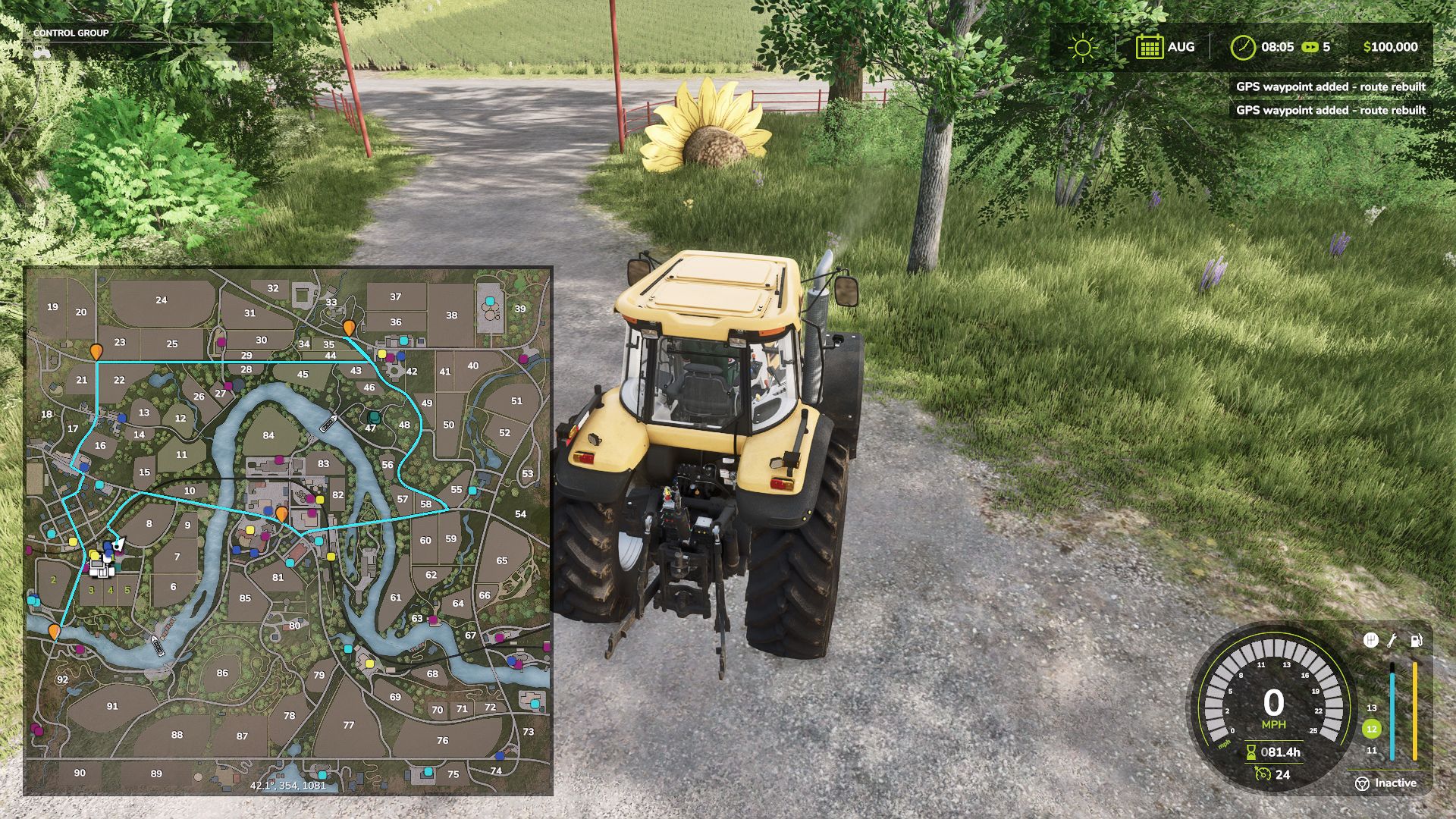
Multiple waypoint support
Routes rebuild through all active waypoints in order
Route line shown on the minimap and full map screen
Dedicated WayPoint GPS route graph system for supported maps
Built-in fallback routing for maps without a dedicated route graph
AI-road-based routing with off-road and last-mile connectors
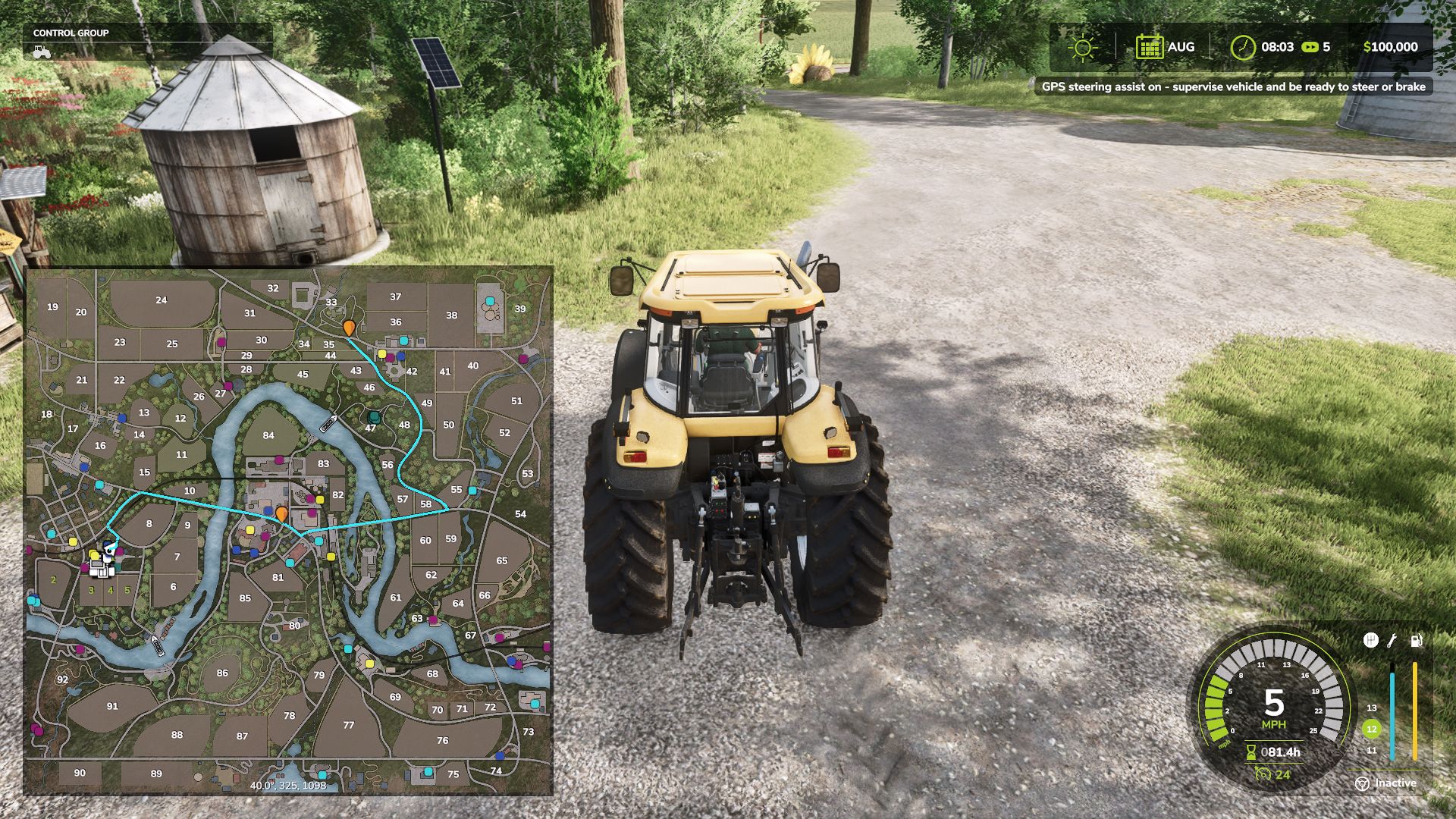
Optional steering assist
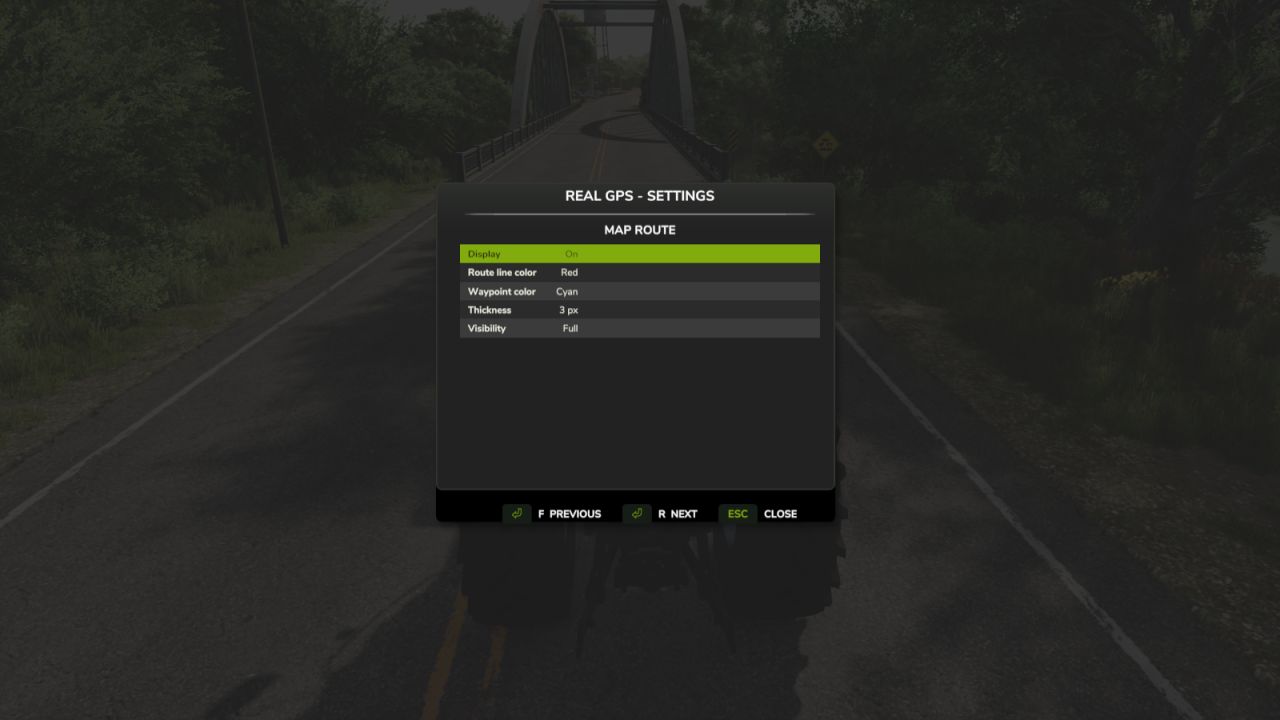
Customizable route line color
Customizable waypoint pin color
Adjustable route thickness and visibility
Bindable controls in the controls menu
Custom GPS waypoint marker
Strict map matching to prevent custom maps from loading the wrong route graph
If a map does not have a dedicated WayPoint GPS route graph, the mod will automatically fall back to its built-in routing logic.
Important Beta Notes
Pathing is guidance only and may not always be perfect, especially around bridges, islands, ferry crossings, yards, field entrances, sharp turns, and off-road targets.
Steering assist is experimental and is not a full autopilot. Always check the route before driving and stay ready to steer, brake, or take control manually.
Feedback is welcome, especially for maps where routes do not follow roads correctly.
BETA 2
Added support for multiple waypoint stops.
CTRL + left click on the full ESC map now adds a waypoint.
SHIFT + left click removes the last waypoint.
Routes now rebuild through all active waypoints in order.
Waypoint pins now display for multiple stops on the map/minimap.
When the first waypoint is reached, the route automatically continues to the next stop.
Route Graph System
WayPoint GPSs uses it’s own internal route graph format.
If a map does not have a matching WayPoint GPS route graph, the mod now falls back to the built-in WayPoint GPS routing logic.
Routing Improvements
Improved strict map matching to prevent custom maps from loading the wrong route graph.
Kept base-game route support working.
Improved routing fallback using:
AI road graph scanning
traffic/AI road splines
road-biased terrain routing
off-road/last-mile connectors
Steering Assist / Pathing
Steering assist remains experimental.
Safe-turn penalties remain active to reduce shortcutting across sharp corners.
Right-side road behavior remains enabled where route data supports it.
plutogaming91