Imperial System Conversion Settings V1.0.0.0 FS25

FS25 Other

Imperial System Conversion Settings V1.0.0.0 FS25
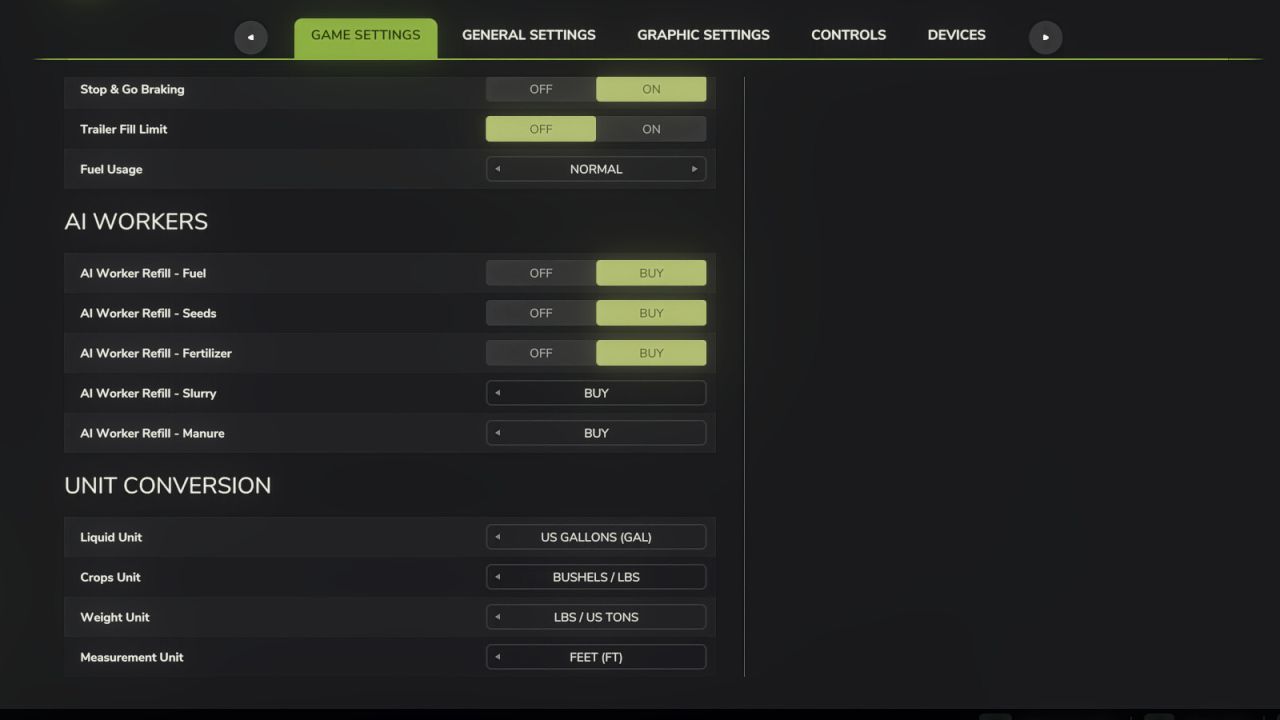

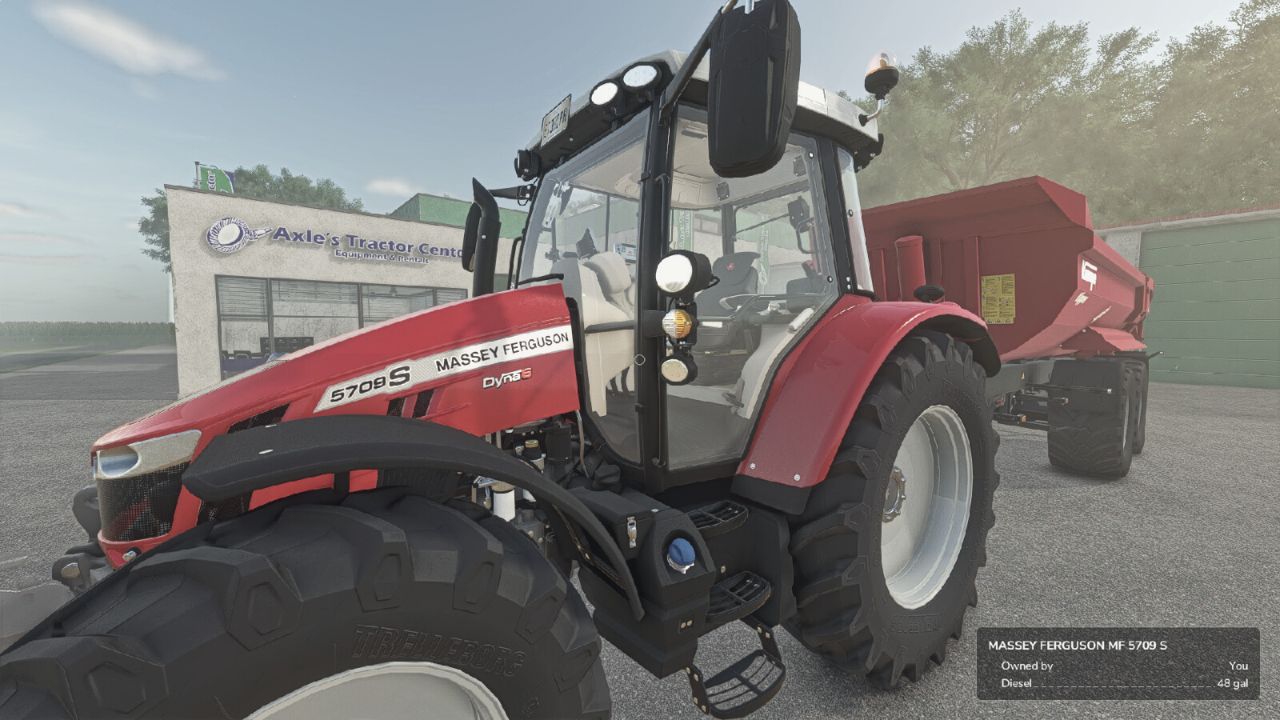
Adds a “Unit Conversion” section to the Game Settings tab in the pause menu.

Choose your preferred units for:
– Liquid: Liters or US Gallons
– Crops: Liters, Bushels (grains) or Lbs (root crops / other solids)
– Weight: Kg / Tonnes or Lbs / US Tons
– Measurement: Meters / Centimeters or Feet

Converts the shop list, vehicle configuration screen (capacity, fuel, methane, working width, bale sizes), in-game HUD fill levels, prices menu storage, and info boxes. Fill types are classified individually: grains show bushels, liquids gallons, dry bulk lbs / US tons, and bales or pallets keep their piece counts.

Settings are saved per-profile and persist between game sessions.
Does not affect in-game prices or game mechanics — display only.

Credits:
FastFarm Dad


What is Farming Simulator 25 / 22 mods use for

Farming Simulator 25 / 22 game supports mods for PC, Xbox, or PS5. FS25 / FS22 Mod is an extension file for the Farming Simulator game. Everyone can create Farming Simulator 25 mod file and share it with our community. So, why do you need Farming Simulator 25 / 22 mods? for example, you have bored with the basic game version or want to try new vehicles such as tractors or combines which the game doesn't have. So Farming Simulator 25 / 22 developers decided to support mods that let players create their own FS25 / F522 maps, Trucks, Vehicles, and any item in game. So you can download Farming Simulator 25 / 22 Mods to upgrade the game and create your own game version. Here you will find the Best FS25 mods and Top FS22 mods for PC, Mac, Xbox, or PS5. Don't wait and choose LS25 / LS22 mods category, download any mod for Farming Simulator 2025 you want and install the mod in FS 25. And the most important - Farming Simulator 25 mods is totally free and available to download all of them. Our Farming Simulator 25 Community goal is to create one of the biggest FS25 / FS22 mods databases


More FS25 Other mods

Leave a Reply

Do you need help or to say thanks for mod author? Just leave a comment bellow!