Precision Track V1.0.0.0 FS25

Precision Track V1.0.0.0 FS25
Create your fields with precision. Switch gears and differential locks with a single shortcut.
Precision Track is an easy-to-use guidance and vehicle-control mod, designed to help you create new fields from scratch. It guides your vehicle along straight, parallel lines at your chosen angle, without scanning fields or relying on existing field boundaries.
AUTOMATIC / SEQUENTIAL: Right Shift + 0 switches between automatic and sequential shifting on compatible geared vehicles. The selected A or S indicator lights up green. In sequential mode, change gears with the game’s shift controls.
DIFFERENTIAL LOCKS: Right Shift + 9 cycles through factory settings, front lock, rear lock, both axle locks and back to factory settings. Locked wheels turn red on the HUD. Unsupported axle modes are skipped; the centre differential is not changed.
GPS MADE SIMPLE
Choose a native angle or Manual (1°). In Manual mode, point the tractor in the desired direction. Press Left Ctrl + W to engage or disengage guidance, and use Left Alt + W to forget the reference before defining a new one.
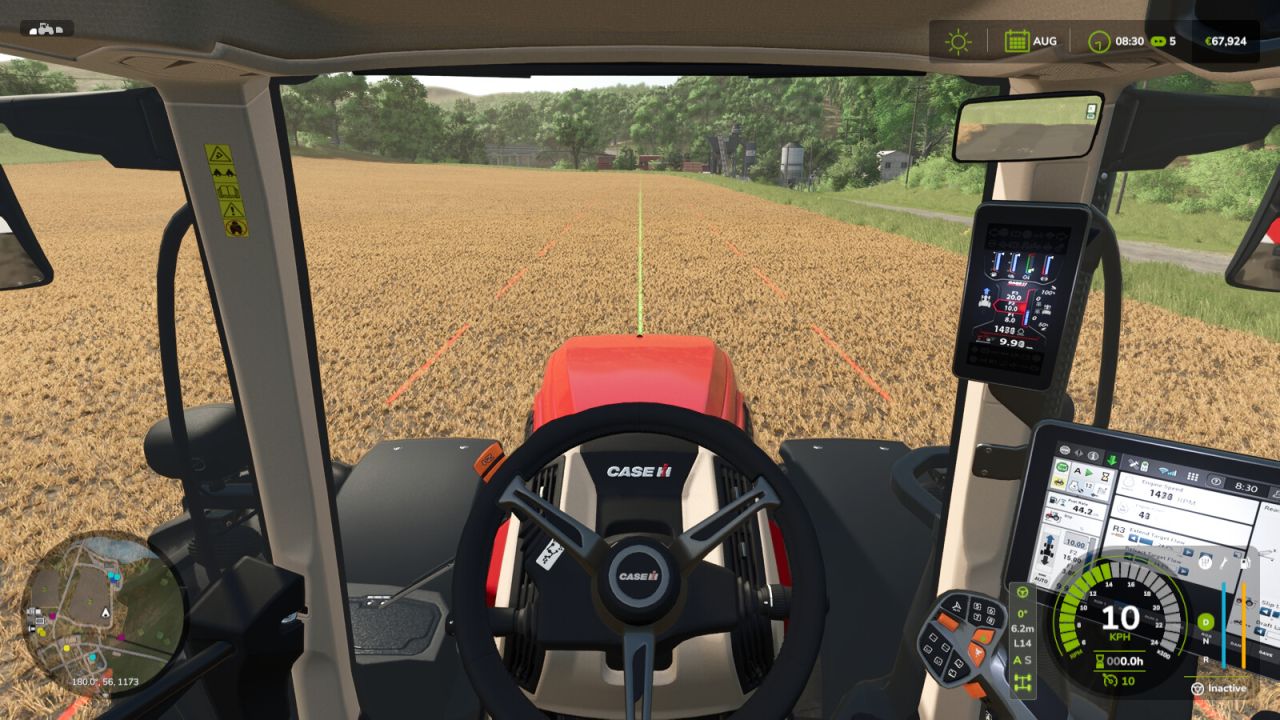
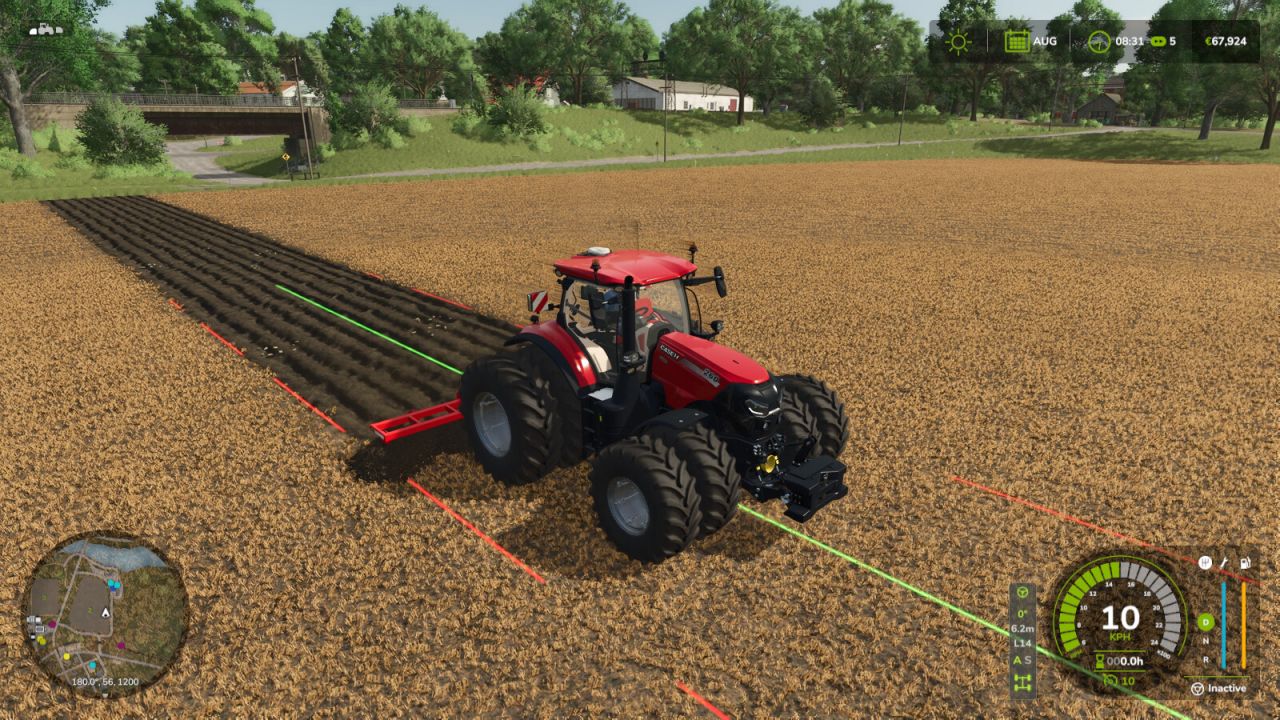
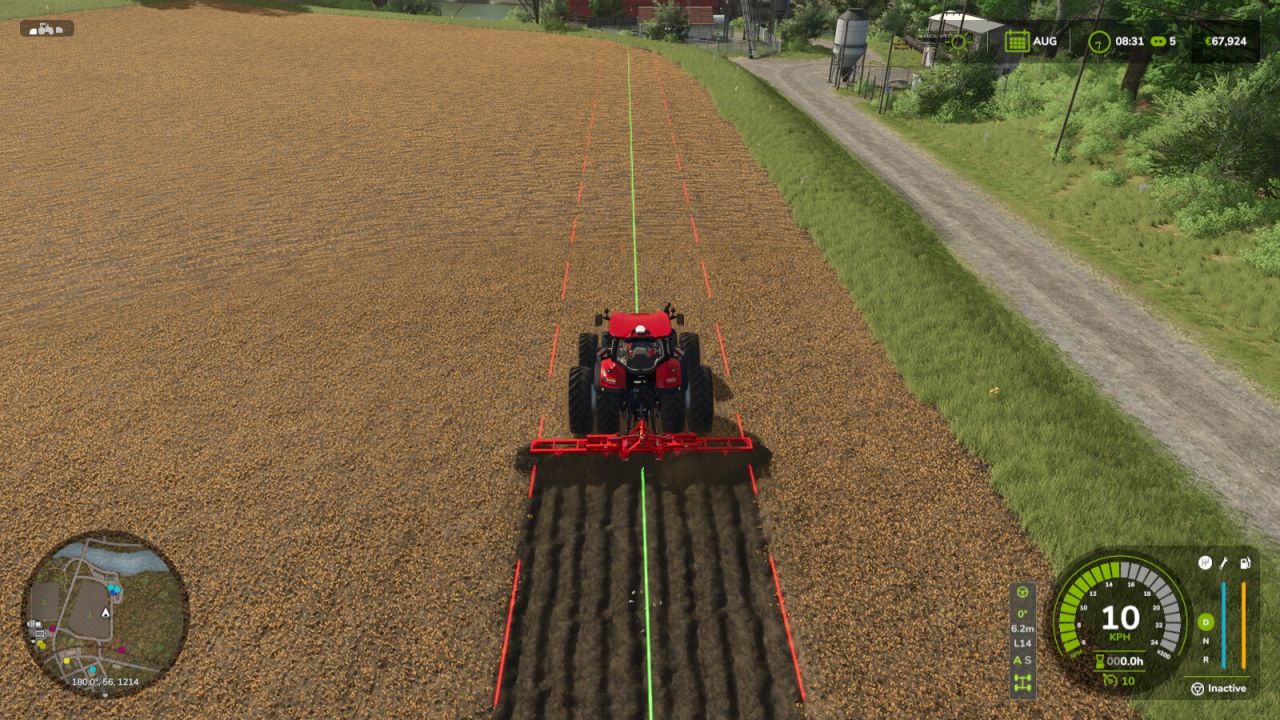
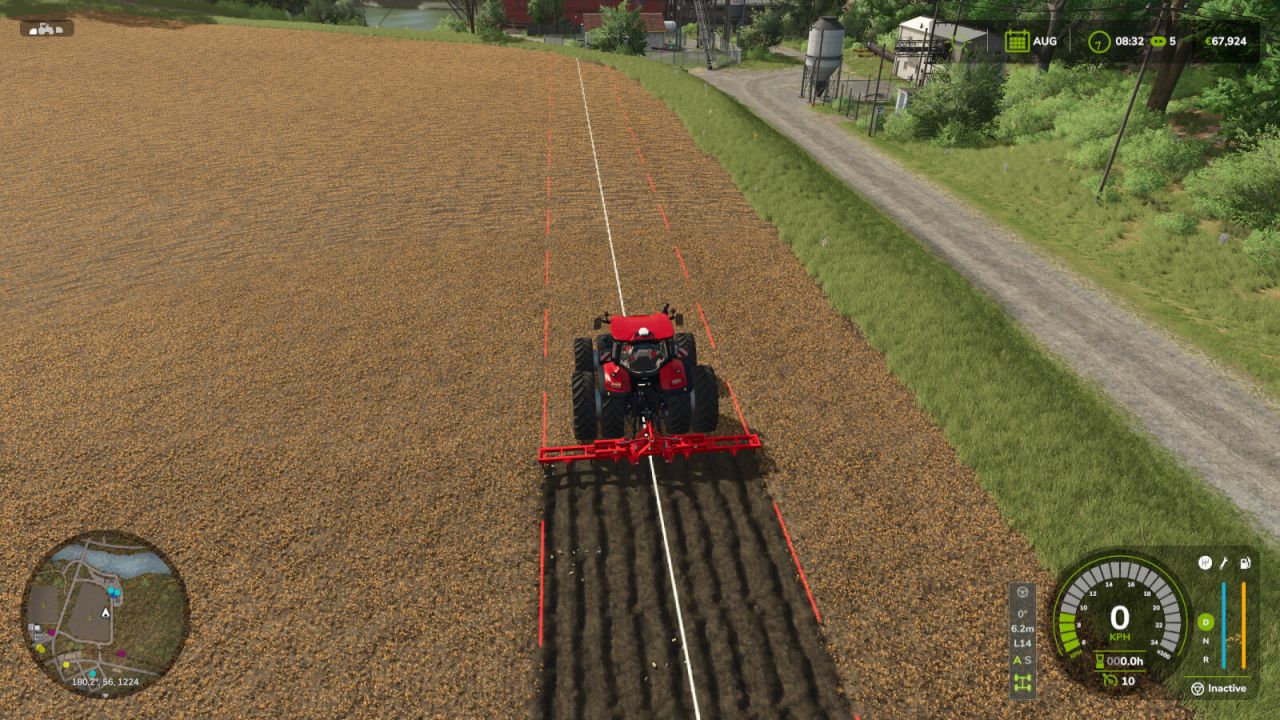
Guidance lines have uniform width and rounded ends: the continuous center line is bright green while guidance is engaged and pale yellow while the reference is ready, with bright red dashed side lines marking the current working width. Line display can be Always, Temporary (1–20 s), or Hidden.
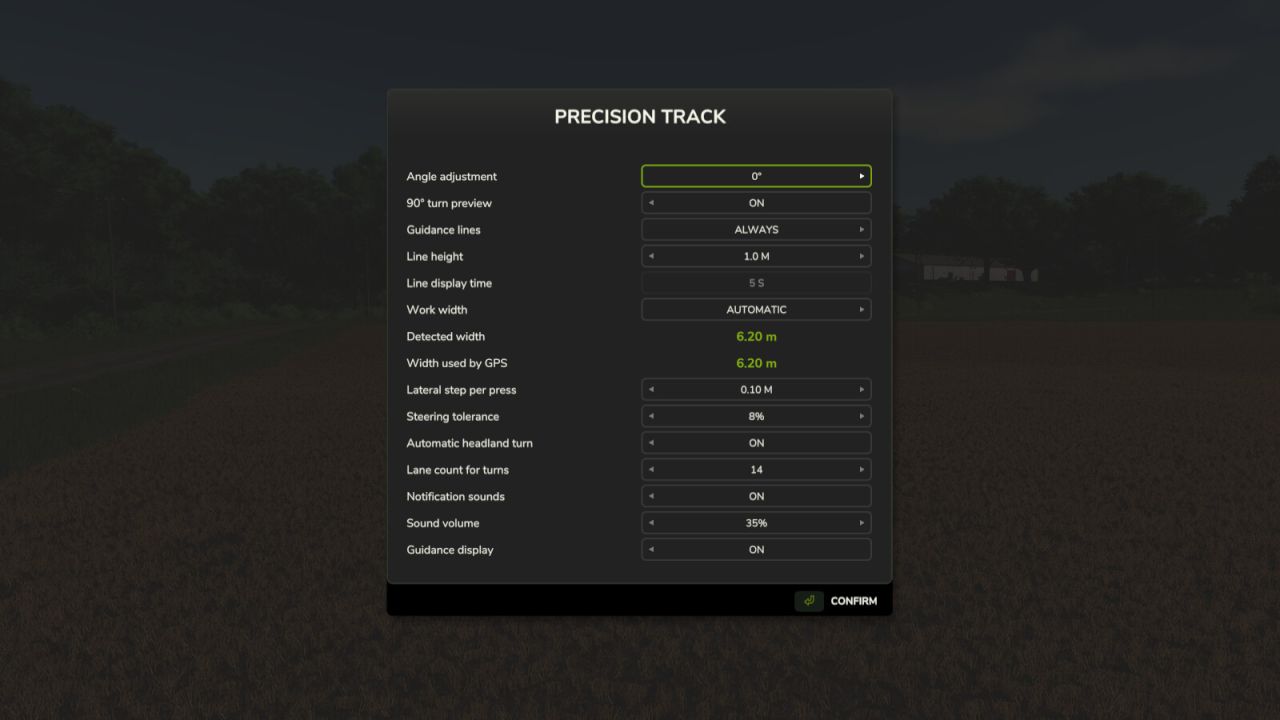
– Steering tolerance for wheels and analog sticks is adjustable from 0% to 20% in the settings menus, with a default of 8%. Each player saves their own preference.
Adjustable line height: ground level, 0.5 m, 1 m or 1.5 m above the terrain. This visual preference is saved per player.
– Automatic working width, or manual adjustment. Without a working implement, the vehicle width is used.
Native terrain angles: 0°, 22.5°, 45°, 67.5°, 90°, 112.5°, 135° and 157.5°. Manual mode adjusts the direction in 1° steps. Straight guidance works forward and in reverse, and the optional 90° preview can be switched on or off.
– Smooth, player-triggered headland turns spanning 1 to 15 working widths. Enable the turn option, engage the GPS and use Left Alt + A/D.
– Compact HUD aligned with the bottom of the speedometer, with larger text and indicators for guidance, angle, working width, lane, transmission and differentials. It follows the game’s HUD scale.
– Short notification sounds with adjustable volume.
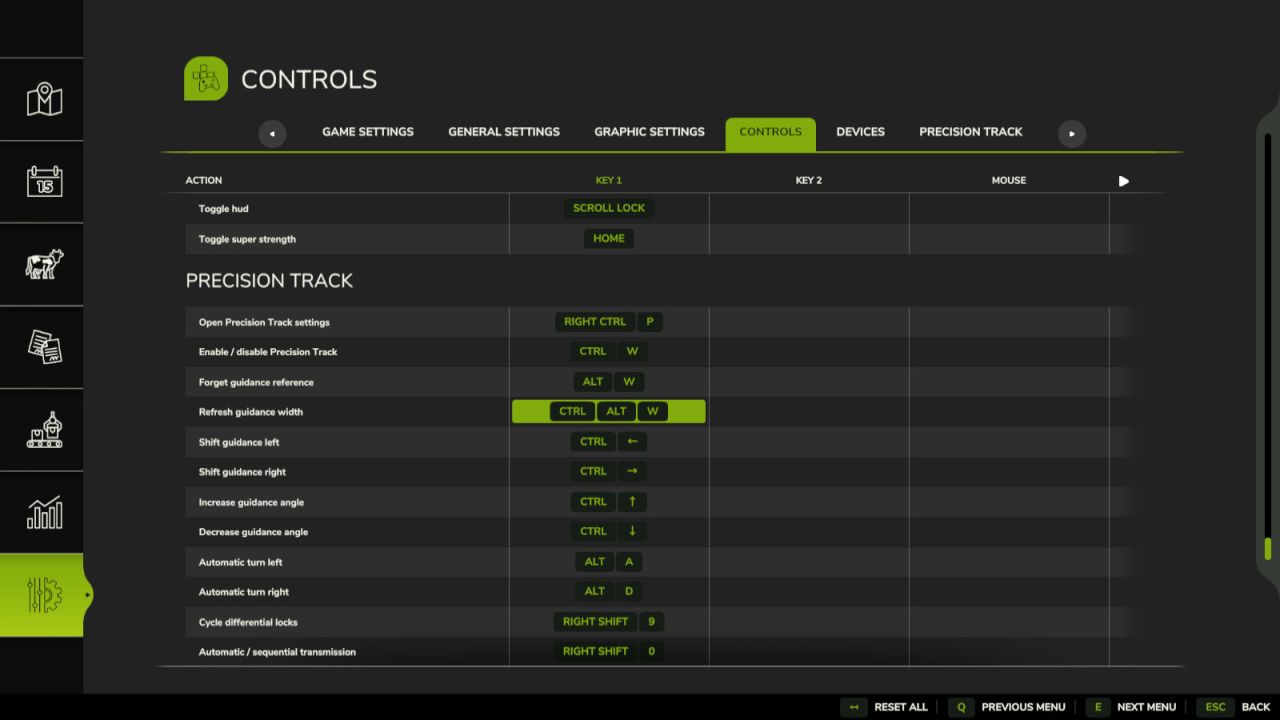
– Compact settings menu and a Precision Track tab in the game’s settings. Actions can be rebound to keyboard, controller or steering-wheel buttons recognized by the game.
IMPORTANT
Creating new ground still requires an appropriate plow, the game’s Allow create fields option and land-use permissions. Precision Track controls steering, not throttle, brakes or implement operation. Turns do not detect field ends or avoid obstacles: the driver chooses when and where to turn.
Transmission and differential controls require compatible vehicles. The mod does not add gears or axle differentials to vehicles that lack them. Its differential controls are disabled on vehicles controlled by Enhanced Vehicle, Vehicle Control Addon or Vehicle Dynamics Control. No external mod dependencies.
DEFAULT SHORTCUTS — remappable in Controls
Right Ctrl + P: Open Precision Track settings
Left Ctrl + W: Enable / disable Precision Track
Left Alt + W: Forget guidance reference
Left Ctrl + Left Alt + W: Refresh guidance width
Left Ctrl + ←: Shift guidance left
Left Ctrl + →: Shift guidance right
Left Ctrl + ↑: Increase guidance angle
Left Ctrl + ↓: Decrease guidance angle
Left Shift + Numpad +: Increase GPS working width
Left Shift + Numpad -: Decrease GPS working width
Left Ctrl + Numpad +: Increase turn lane count
Left Ctrl + Numpad -: Decrease turn lane count
Left Alt + A: Automatic turn left
Left Alt + D: Automatic turn right
Right Shift + 9: Cycle differential locks
Right Shift + 0: Automatic / sequential transmission
Lobo47