Shop Vision V1.0.0.0 FS25

Shop Vision V1.0.0.0 FS25
Stop buying tractors blind. Shop Vision turns the shop into a real showroom: take a seat in the cab, click through every configuration in one list, switch on every light – all before you spend a single euro.
YOUR CAB, BEFORE YOU BUY
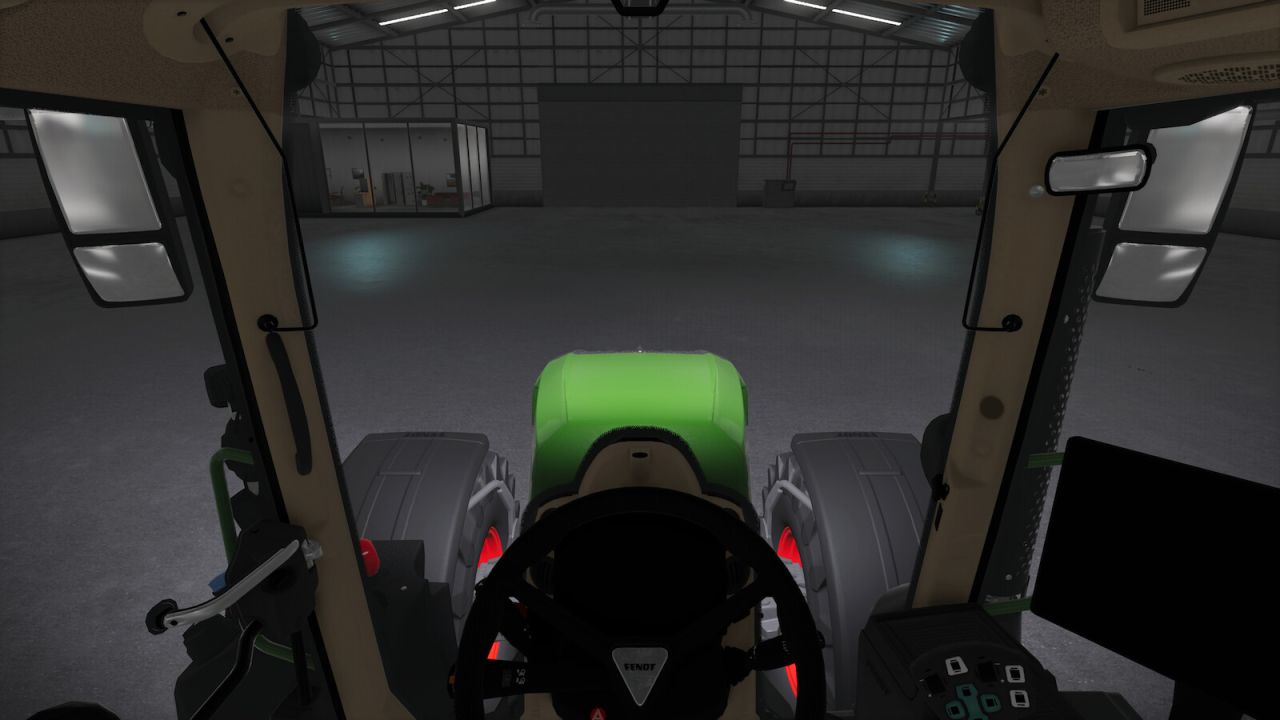
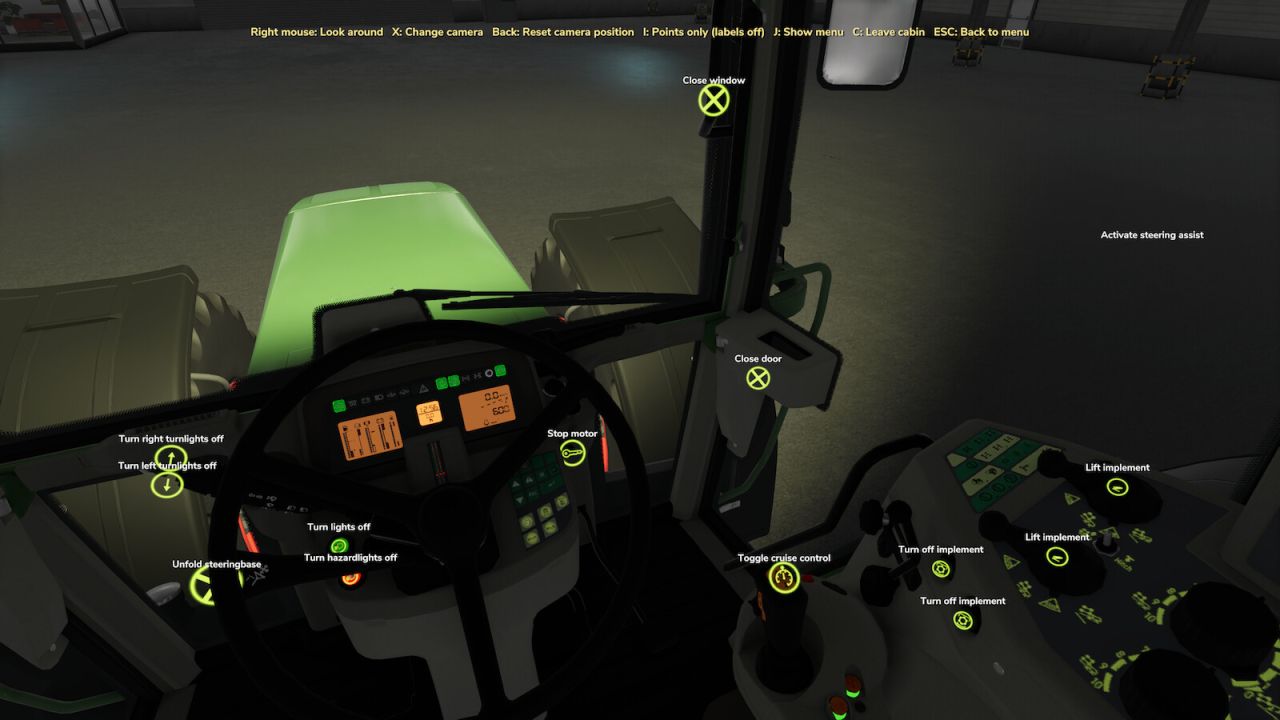
Always wanted to sit in the cab before buying a tractor? Now you can. Press [C] and you are in the driver’s seat, right in the shop. Look around with the right mouse button, switch through all cameras of the vehicle with [X] and hide the menu with [J] for a clean view. Want to compare cabs? Press [K] / [L] and jump straight into the next tractor’s cab.
EVERYTHING IS CLICKABLE
With the Interactive Control mod installed, [I] shows all IC points of the vehicle – with labels if you want them. Inside and outside: open the door, the window or the hood, switch on the indicators. Want to start the engine from the cab? Together with the Shop Sounds mod you can start every engine in the shop, rev it and hear it – Shop Sounds takes care of the whole sound.
UNFOLD IT, SWING THE PIPE OUT
Always wanted to see a forage harvester with the pipe swung out or an implement fully unfolded before you buy it? Click the IC point and it happens right in the shop – pipe out, pipe in, fold, unfold. Works wherever the vehicle has Interactive Control points for it.
EVERY CONFIGURATION AS ONE CLICKABLE LIST
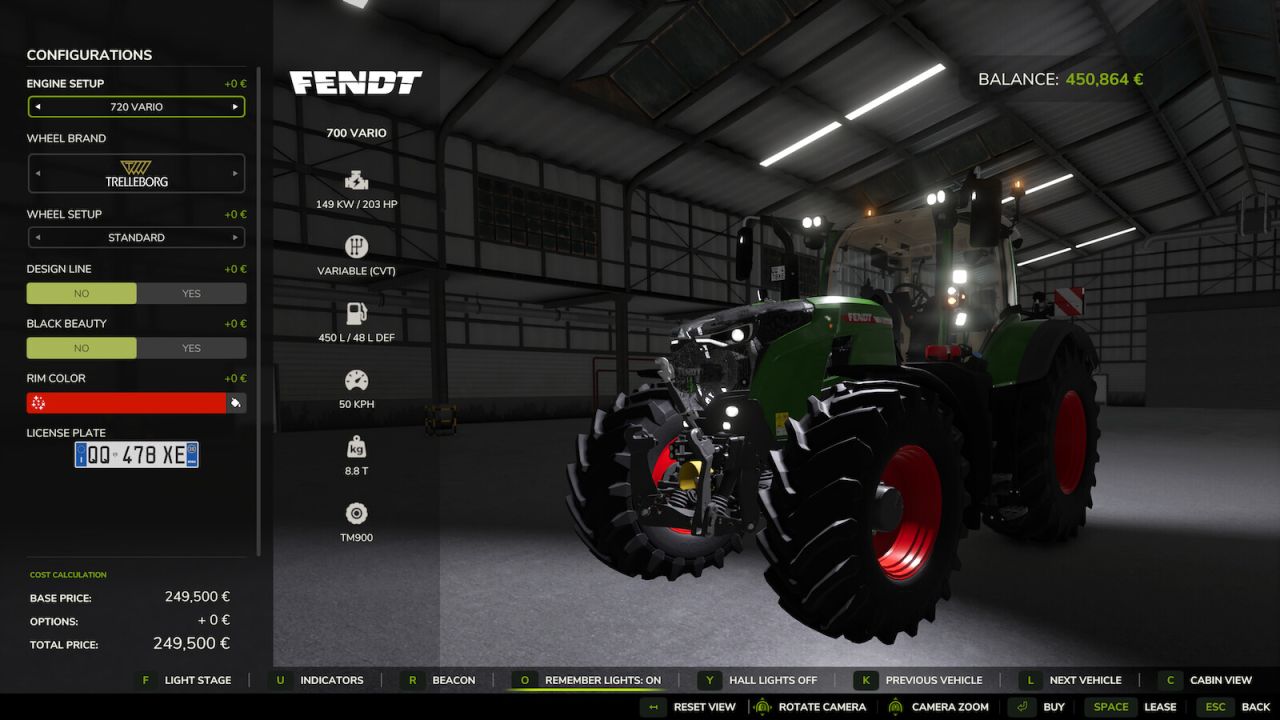
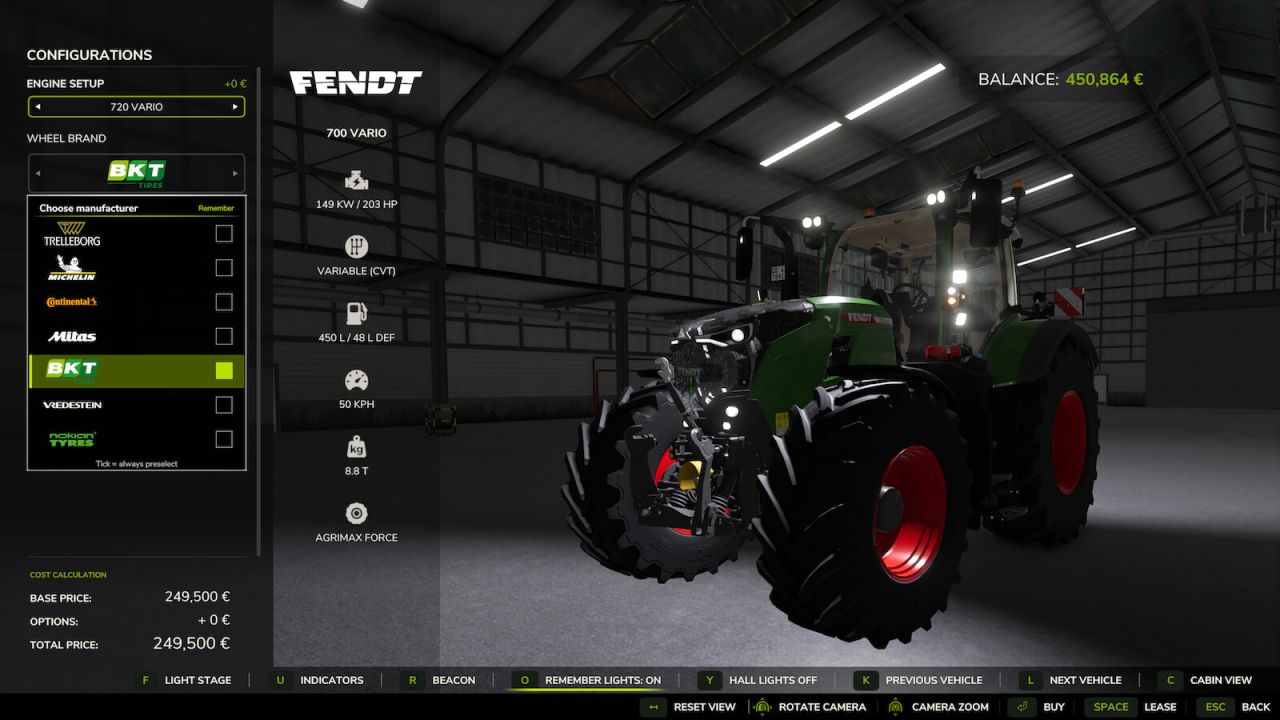
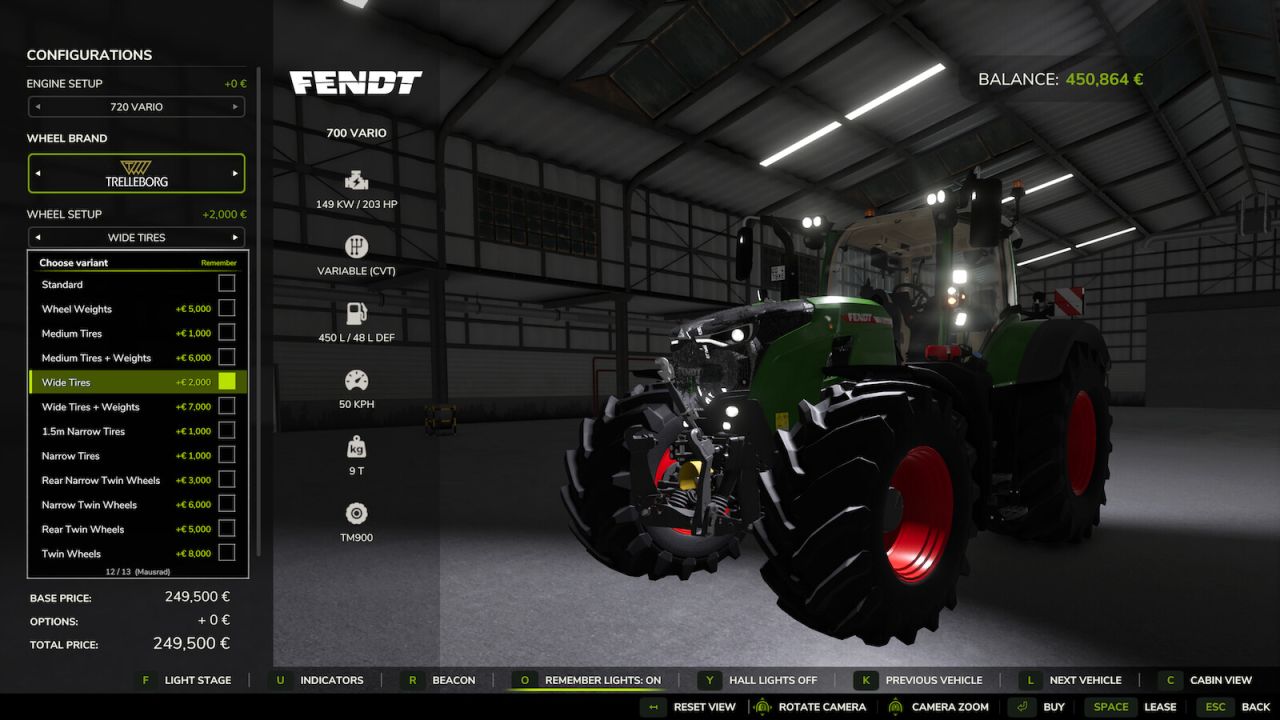
No more clicking through arrows one by one. Click a configuration and you get all options at once as a clear list with brand logos and prices: tire brand, tire variant, beacon lights, exhaust, front loader, front attachment, engine – and configurations from other mods like More Motor Sounds or Tire Sound. Whatever the selected machine offers, it shows up.
YOUR FAVORITE TIRES, ON EVERY TRACTOR
Always wanted to keep wide tires selected and click through the brands without the tire variant jumping back to standard? Now it works. You always run wide tires with one specific brand? Tick “Remember” for both and Shop Vision preselects exactly this combination on every tractor that offers it. Your brand doesn’t have your tires on this tractor? Shop Vision takes the next brand that does, or the closest tires of the same width – and tells you what it picked. In the list, brands without your tire variant are greyed out, so you see it at a glance.
LIGHTS ON, HALL LIGHTS OFF
Turn off the hall lights with [Z] and see how the machine really looks at night. Cycle through every light stage with [F], indicators and hazard lights with [U], beacon lights with [R]. No beacon fitted? [R] automatically picks the first beacon light from the configuration menu. Press [O] to remember your lights – the next tractor lights up the same way.
Works on tractors, harvesters, implements and trailers with their own lights. Buttons only appear for what the selected machine really has. No settings needed, works in singleplayer and multiplayer.
Hotkeys (shop configuration screen):
[C] Cab view on/off
[X] Change camera (in cab)
[Right mouse] Look around
[J] Menu on/off
[I] IC points: on / points only / off
[K] [L] Previous / next vehicle
[Backspace] Reset camera position
[F] Light stage
[U] Indicators / hazard lights
[R] Beacon lights
[O] Remember lights
[Z] Hall lights (German keyboard: [Y])
Left click on a configuration: open the list, tick “Remember” to preselect
Alehandro