River from spline V1.0.0.0 FS25

River from spline V1.0.0.0 FS25
FS25 Script Guide – RIOS Water to SPLINES
(Creating a river using a spline in Farming Simulator 25 via GIANTS Editor)
Purpose of the script
The FS25 – RIOS COM SPLINES script is designed to quickly create a river using a spline without manual modeling in Blender.
It automatically:
creates a water surface
applies wave animation
aligns to the relief
sets the depth
adjusts the flow
Ideal for maps like “Dubrovka Village” with natural landscapes.
Preparation before launch
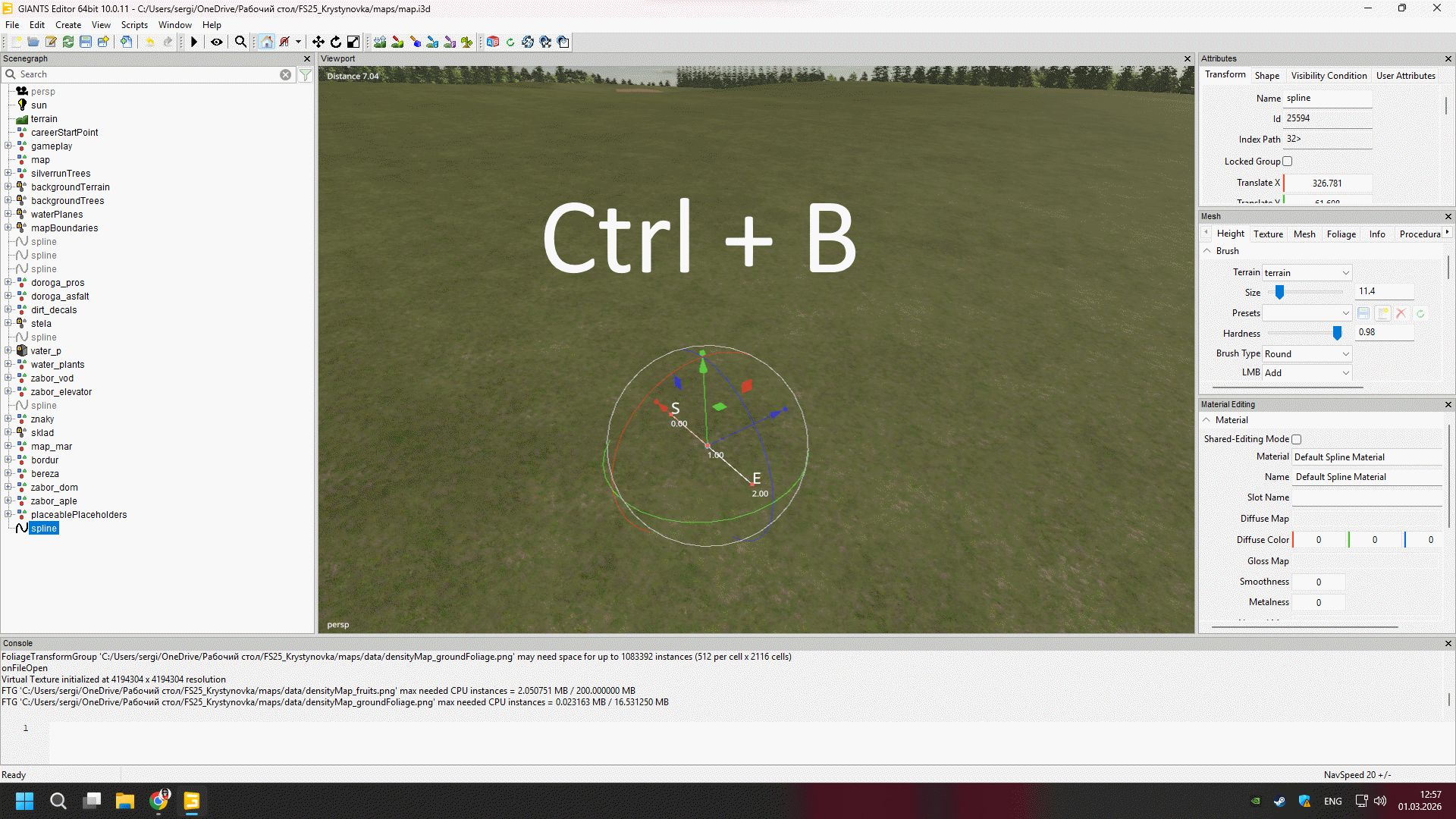
Step 1 – Creating a spline
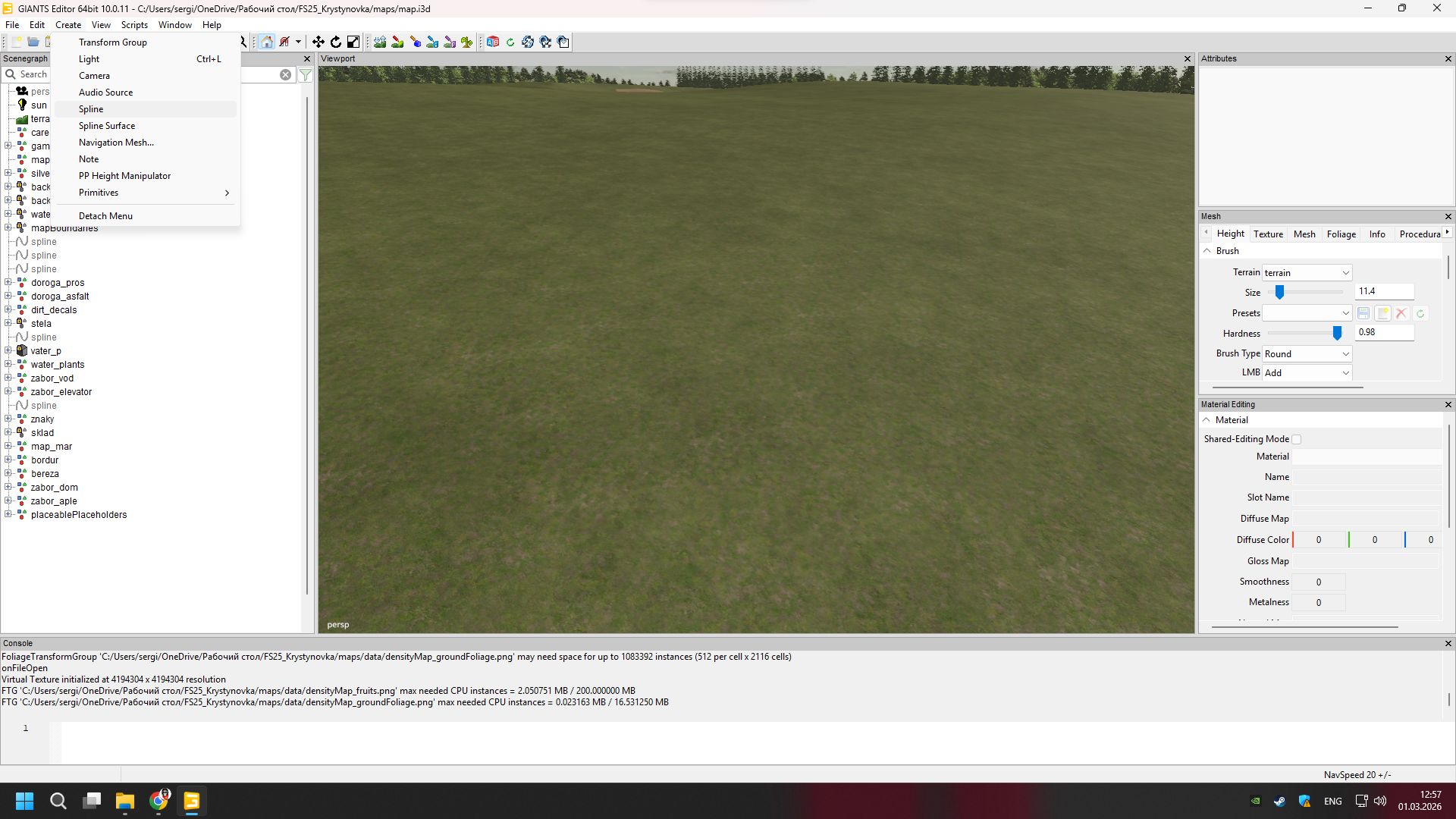
Open the map in GIANTS Editor
Create a new Spline
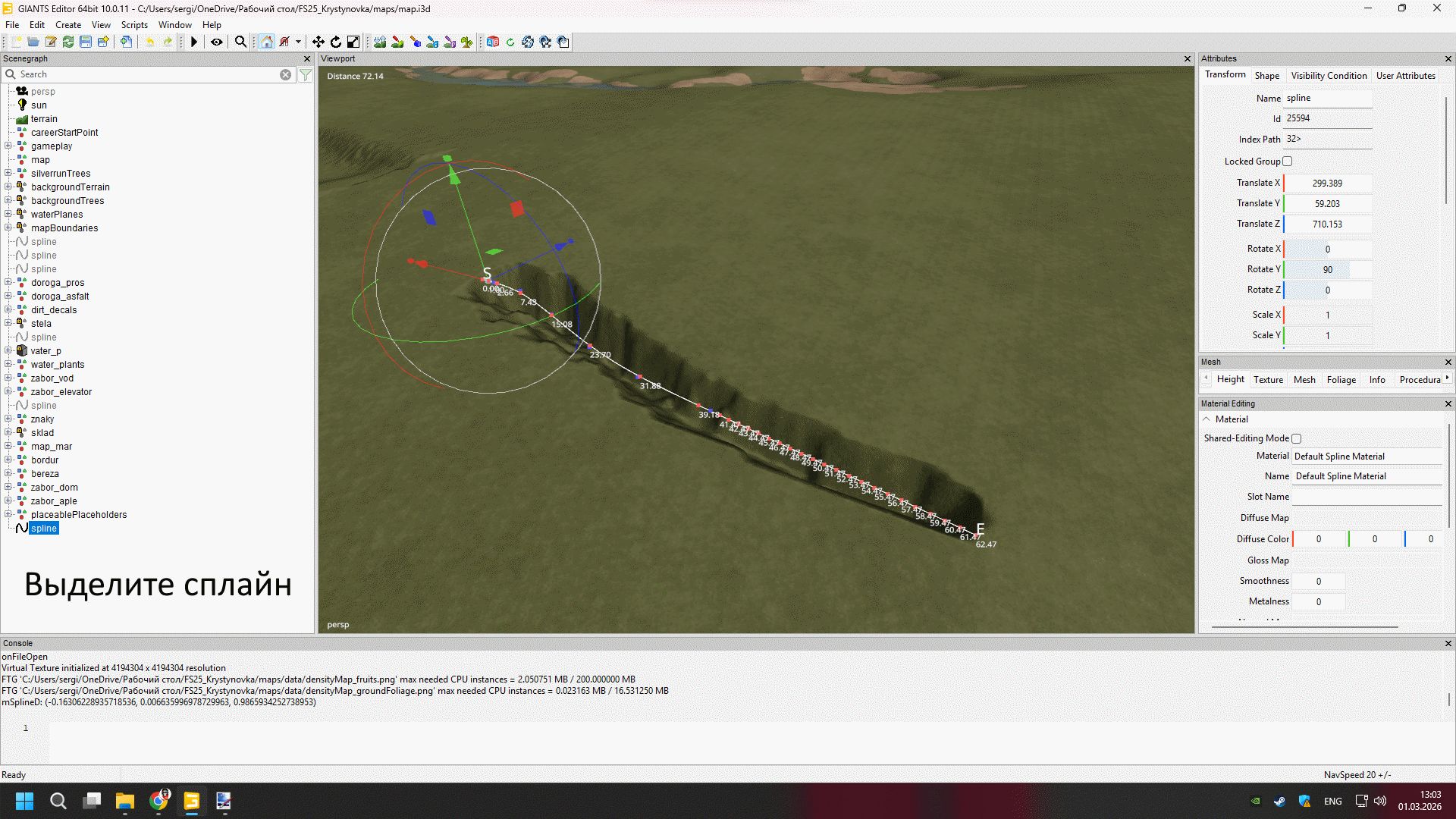
Lay it along the trajectory of the future river
Edit the points (so the bends are smooth)
Important:
The spline must be selected before generation
The starting point determines the direction of the flow
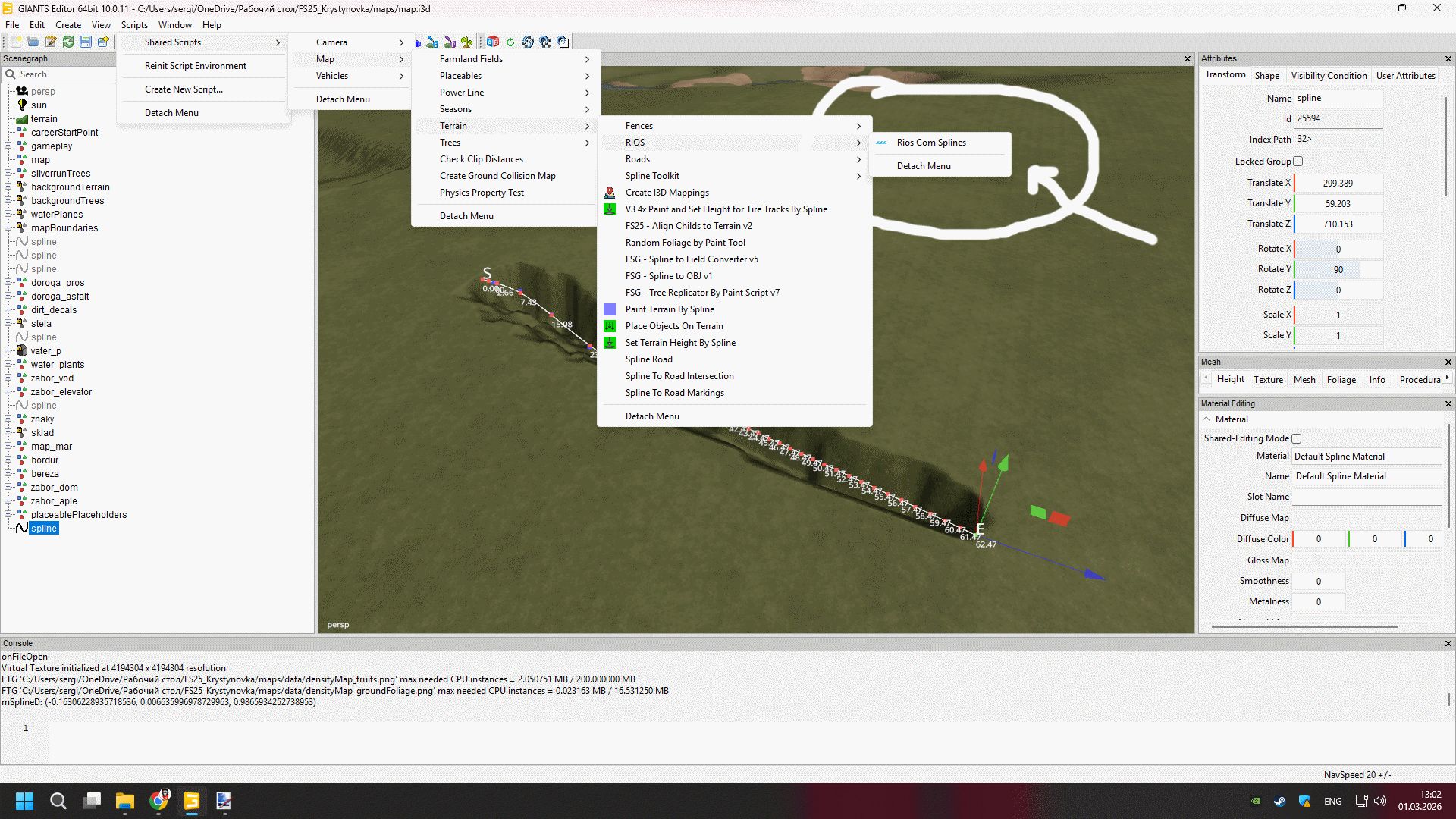
Run the script
Open the Scripts menu
Select FS25 – RIOS COM SPLINES
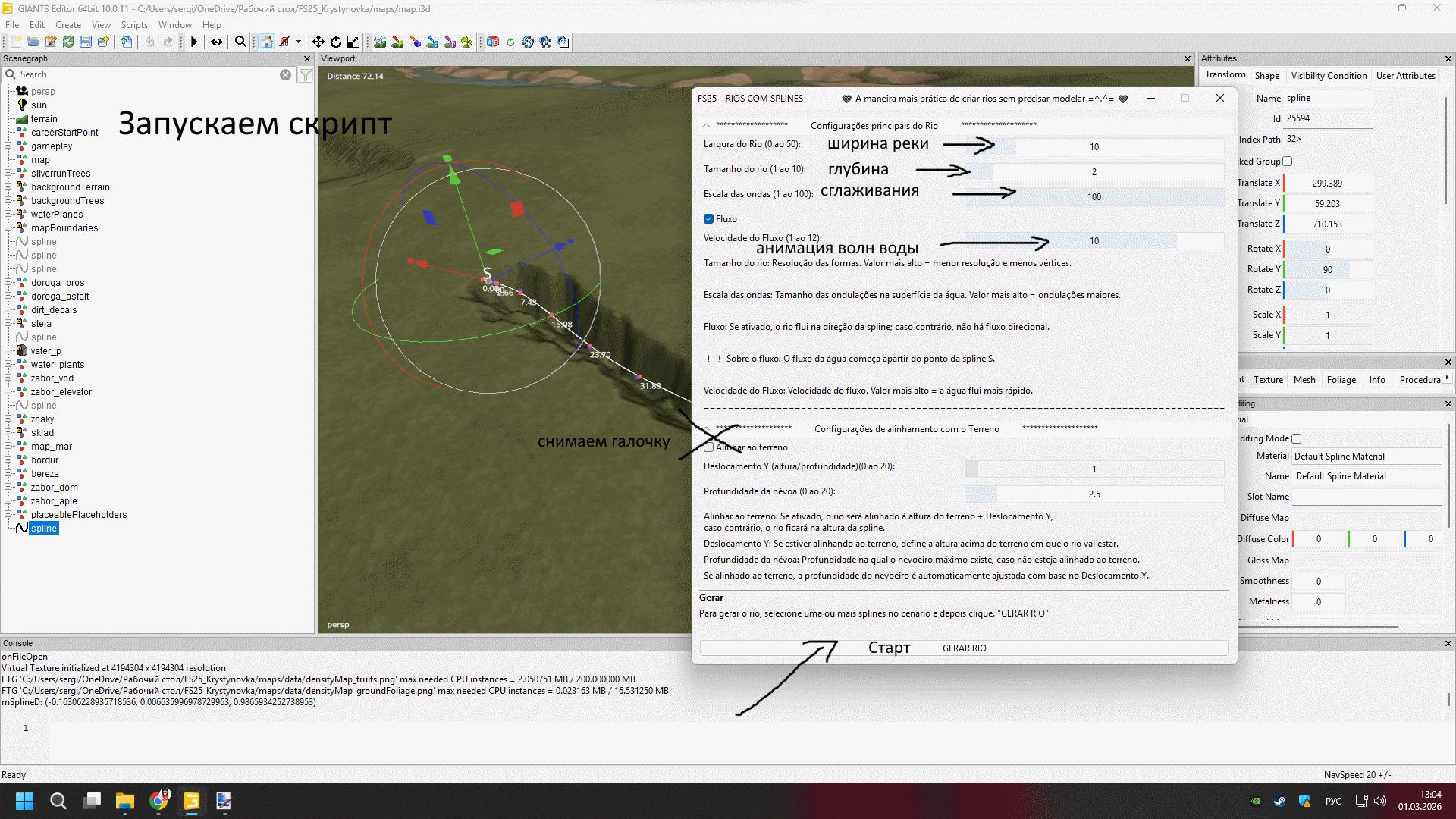
The settings window will appear
Basic river settings
Width of the river (Largura do Rio)
Range: 0 – 50
Determines the width of the water surface.
5–10 → small river
15–25 → medium river
30+ → large river
Depth (Tamanho do rio)
Range: 1 – 10
Determines the depth of the recess.
1–3 → small river
4–6 → normal depth
7–10 → deep river
Smoothing (Escala das ondas)
Range: 1 – 100
Responsible for the smoothness of the shape.
Smaller value → more polygons
More value → simpler geometry
For performance, set it to 80–100.
Water animation
“Fluxo” checkbox
Turns on the flow of water.
If enabled, water flows in the direction of the spline.
Current speed (Velocidade do Fluxo)
Range: 1 – 12
2–4 → calm water
5–8 → moderate course
9–12 → fast current
Wave size
The higher the value, the larger the waves.
For a realistic river:
5–10 → calm
15+ → noticeable waves
Relief alignment
Tick “Alinhar ao terreno”
If enabled, the river automatically adjusts to the height of the terrain.
Offset Y (Deslocamento Y)
Range: 0 – 20
Adjusts the height of the water relative to the ground.
Positive value → water higher
Negative → lower
Depth of excavation (Profundidade da neva)
Determines how much the script lowers the riverbed.
Usually 2-4 is enough.
River generation
After setup:
Select spline
Click GERAR RIO
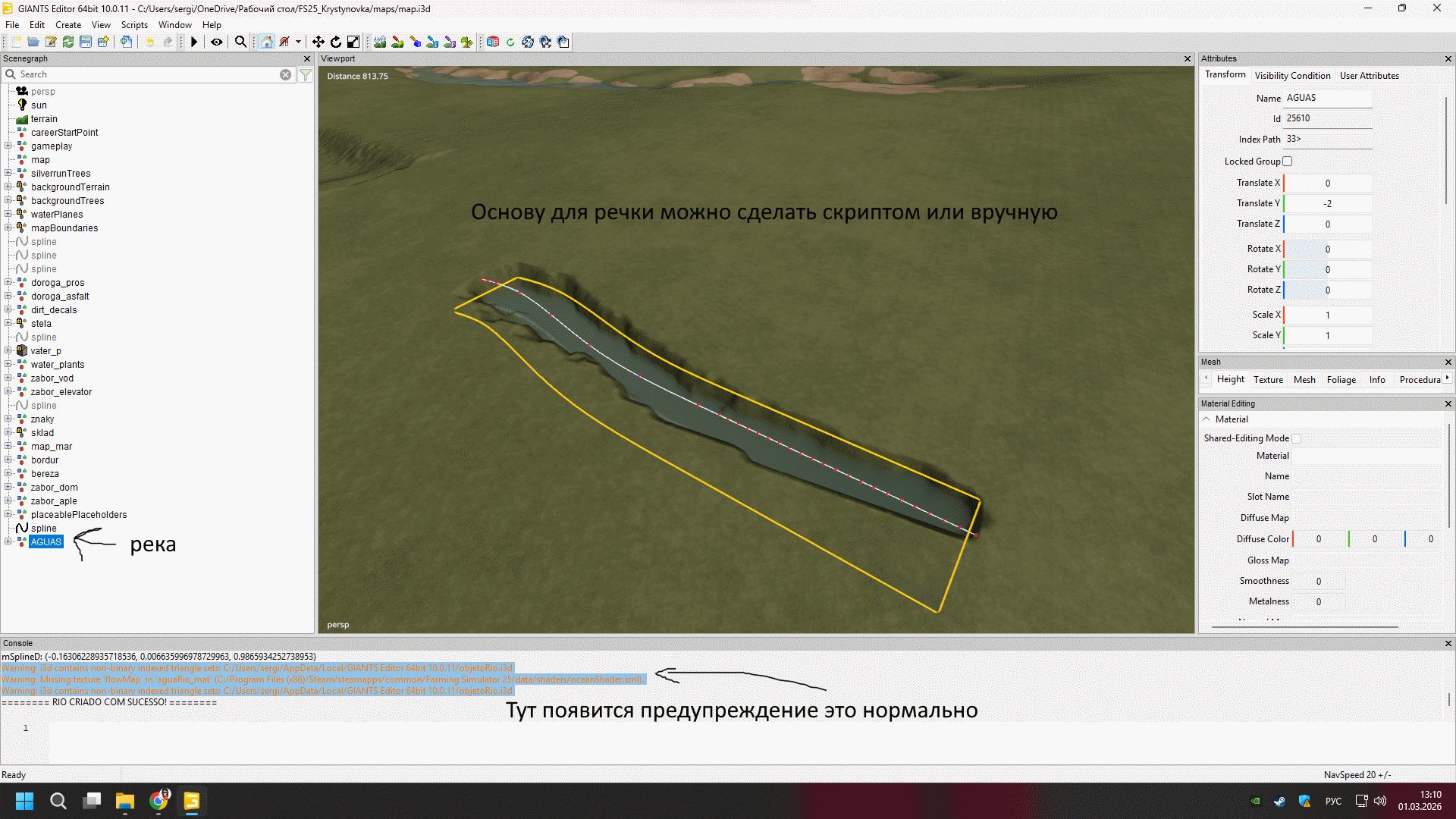
Wait for it to finish
The river will appear in the scene automatically.
Recommended settings for a realistic map
For a map in the style of central Russia:
Width: 12–18
Depth: 4
Smoothing: 90
Current speed: 4
Recess depth: 3
Possible problems and solutions
❌ The river hangs in the air
✔ Enable “Align to terrain”
✔ Check out Deslocamento Y
❌ Water is not animated
✔ Check the “Fluxo” checkbox
✔ Make sure the water material is correct
❌ The edge of the river looks like Tetris
✔ Decrease the smoothing value
✔ Increase spline density
Tips for professional results
Make more spline points on turns
After generation, you can manually edit the terrainAdd decor: stones, reeds, dirt
Don’t make the river perfectly straight
Summary
The FS25 – RIOS COM SPLINES script allows you to:
✔ Quickly create realistic rivers
✔ Adjust depth and flow
✔ Automatically align to terrain
✔ Save time compared to manual modeling
farmtechgame