Enhanced Help Menu V1.0.0.0 FS25

Enhanced Help Menu V1.0.0.0 FS25
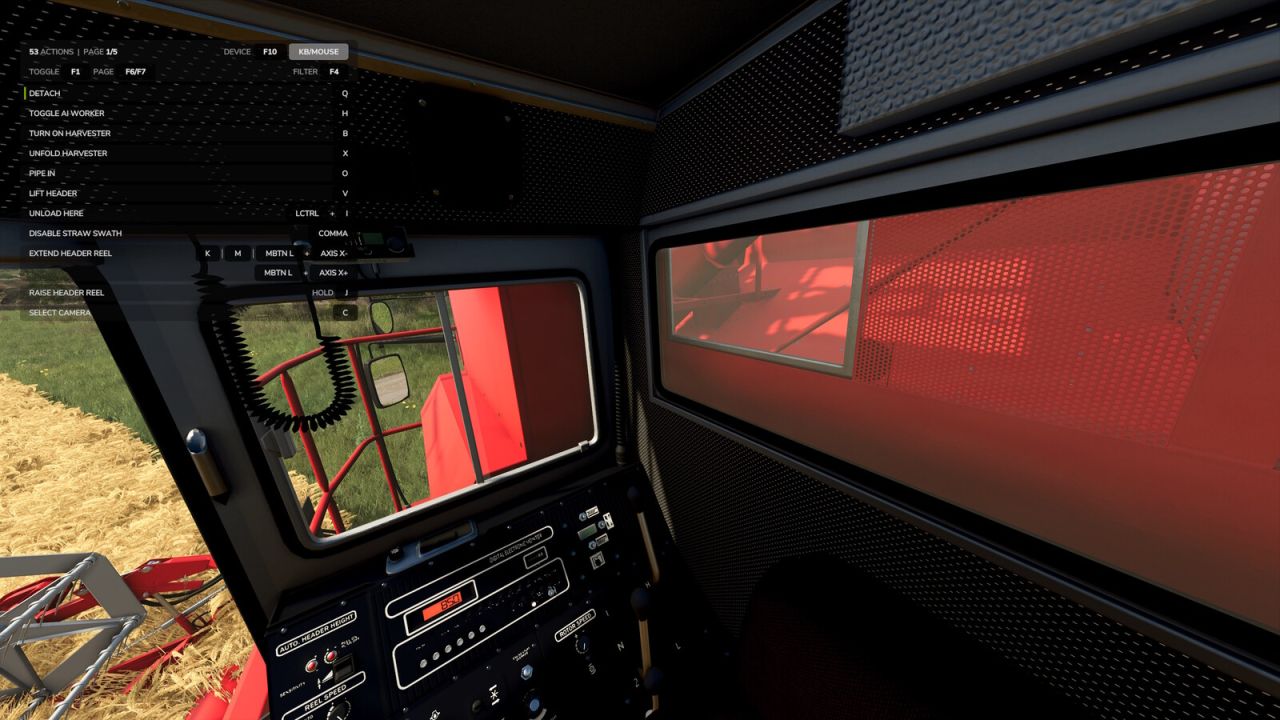
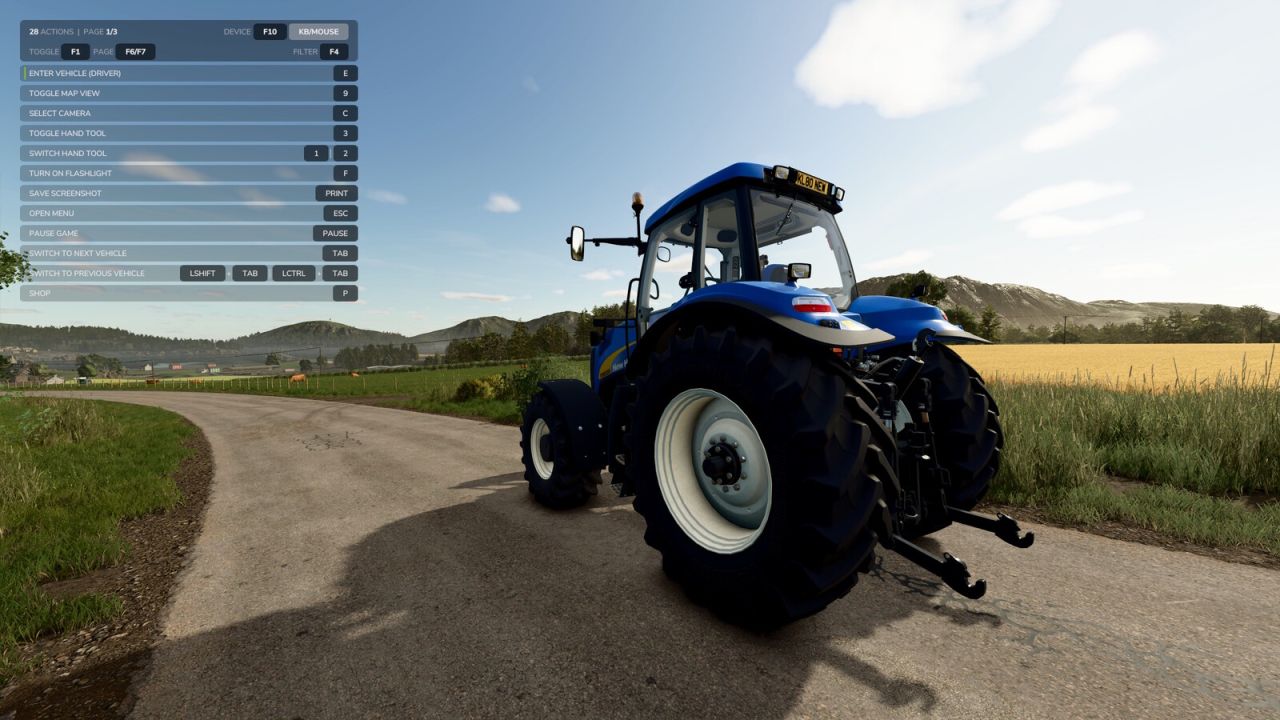
Replaces the built-in F1 help menu with a smarter, always-visible overlay that shows every active input action and its key binding, not just the handful the game chooses to highlight.
The list updates as your context changes: on foot, in a vehicle, near interactive objects, or using attachments. New actions get a subtle green accent bar and slide to the top of the list so you notice them straight away.
Features:
– Lists every active action across all connected input devices
– Real key bindings with proper formatting (keyboard, mouse, joystick, gamepad)
– New-action highlighting: smooth fade-in with green accent bar, auto-sorted to top
– Long bindings wrap to a second line automatically, so nothing hides behind an ellipsis
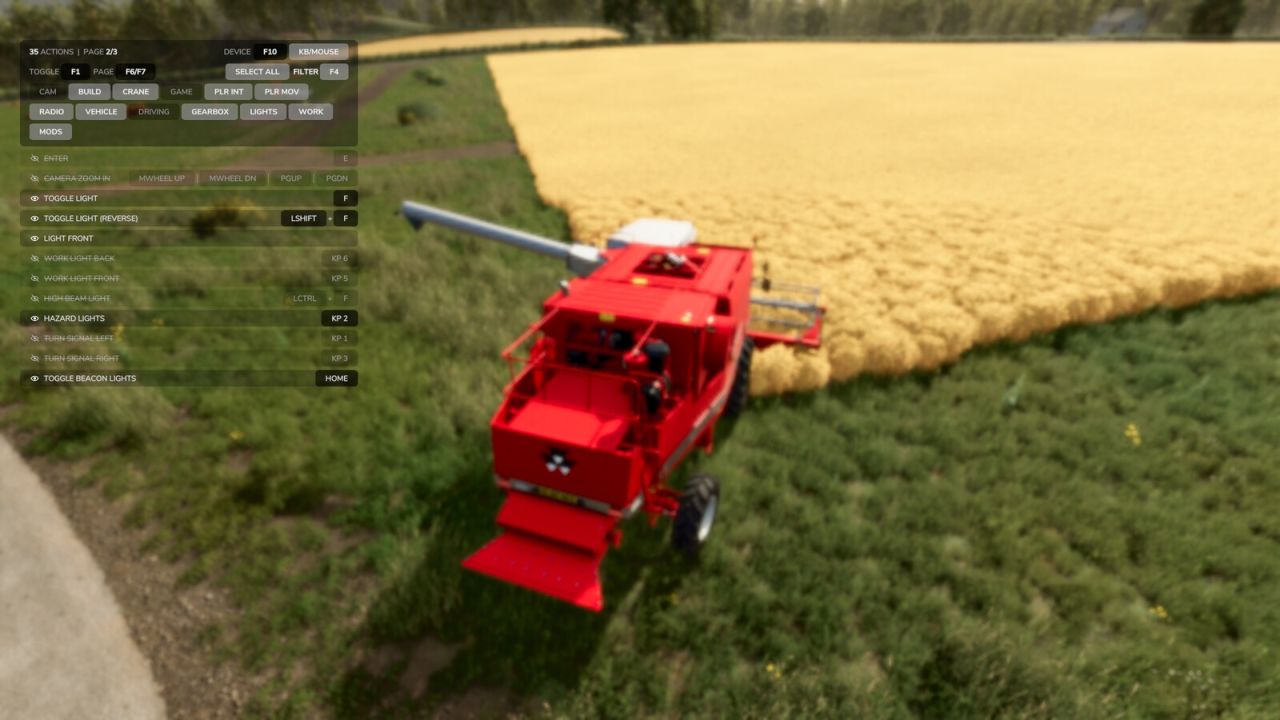
– Category filter (Camera, Vehicle, Driving, Lights, etc.) to narrow the list
– Hide individual rows you’ve memorized. Open filter mode and click a hidden row to bring it back
– Filter mode softly blurs the game world behind the panel for cleaner focus
– Cycle device filter to see bindings for a specific controller
– Pagination for long action lists
– Settings (filters, hidden rows, display state) persist between sessions
Controls (all remappable in the Controls menu):
F1 : Cycle display (overlay only / F1 only / both hidden)
F4 : Open or close filter (click categories to filter the list, click rows to hide them)
F6 : Previous page
F7 : Next page
F10 : Cycle device filter
petvind