Independent track system V1.0.0.0 FS25

Independent track system V1.0.0.0 FS25
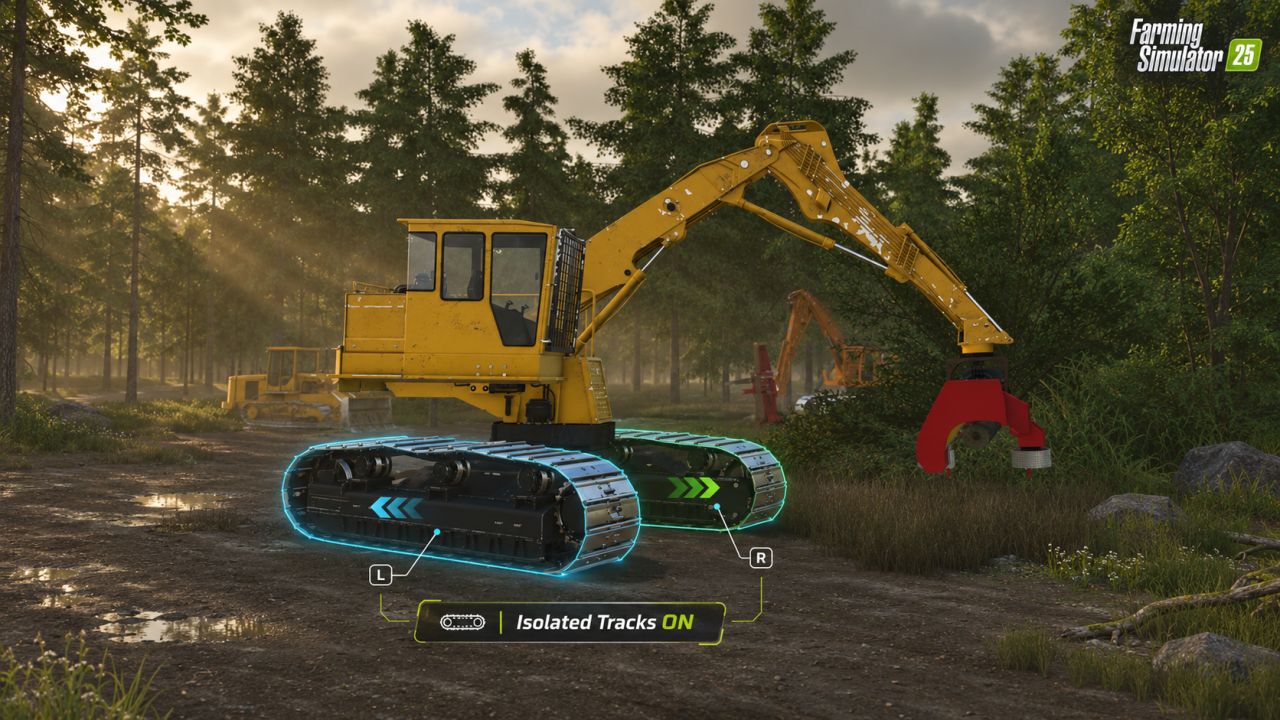
Take control of each track separately. Independent Track System adds independent left and right track inputs to compatible tracked machines, letting you drive straight, make gradual turns, or counter-rotate the tracks for a tight pivot.
This is a standalone script mod. You don’t need to edit individual vehicle files.
Getting started
1. Place FS25_IndependentTrackSystem.zip in your FS25 Mods folder. Leave it zipped.
2. Enable the mod when loading your save.
3. Buy or customize a compatible machine with Isolated Tracks: On. This option defaults to On.
4. Enter the machine, start the engine, and use the independent track controls.
With isolation On, independent track inputs take over from normal forward, reverse, and steering controls. Select Off to return to the machine’s normal driving controls.
Default keyboard controls
Use the numeric keypad:
| Action | Default key |
|—|—|
| Left track forward | Numpad 7 |
| Left track reverse | Numpad 1 |
| Right track forward | Numpad 9 |
| Right track reverse | Numpad 3 |
Move both tracks in the same direction to travel straight. Move one track to turn, or move the tracks in opposite directions to pivot.
Custom controls
Open Settings → Controls and look for the Independent Track System left and right track actions.
The actions support custom keyboard bindings and analog inputs for game controllers and joysticks recognized by FS25. Controller and joystick defaults are not supplied; assign your preferred buttons or axes.
Tune each machine
While controlling your machine, open the Independent Track System settings tab immediately after Devices.
Choose a preset—Balanced, Precision Excavation, Field Travel, or Soft Ground—or adjust individual settings:
– Braking strength: How strongly moving tracks brake.
– Holding brake: How strongly a stationary track resists rolling.
– Acceleration response: How quickly tracks respond to your inputs.
– Pivot speed: The target speed for counter-rotation.
– Traction: How strongly the tracks resist sliding sideways.
Tuning is saved for each individual machine and restored when you reload your save. Actual movement depends on the machine, terrain, grip, and load.
Compatibility and testing
Designed for compatible machines with full tracks using FS25’s standard wheel and crawler systems. Compatibility depends on how a vehicle is built; some custom controllers, animations, articulated machines, and mixed wheel-and-track layouts may require additional support.
Gameplay and settings persistence have been tested in-game. Controller, joystick, and multiplayer testing is still being completed. For multiplayer, the server and all players must install the same version.
ELEVATEGAMING