
VAT System V1.1.0.0 FS25

VAT System V1.1.0.0 FS25
A configurable VAT system for multiplayer, roleplay and economy projects.
Purchases, sales and transfers are subject to VAT.
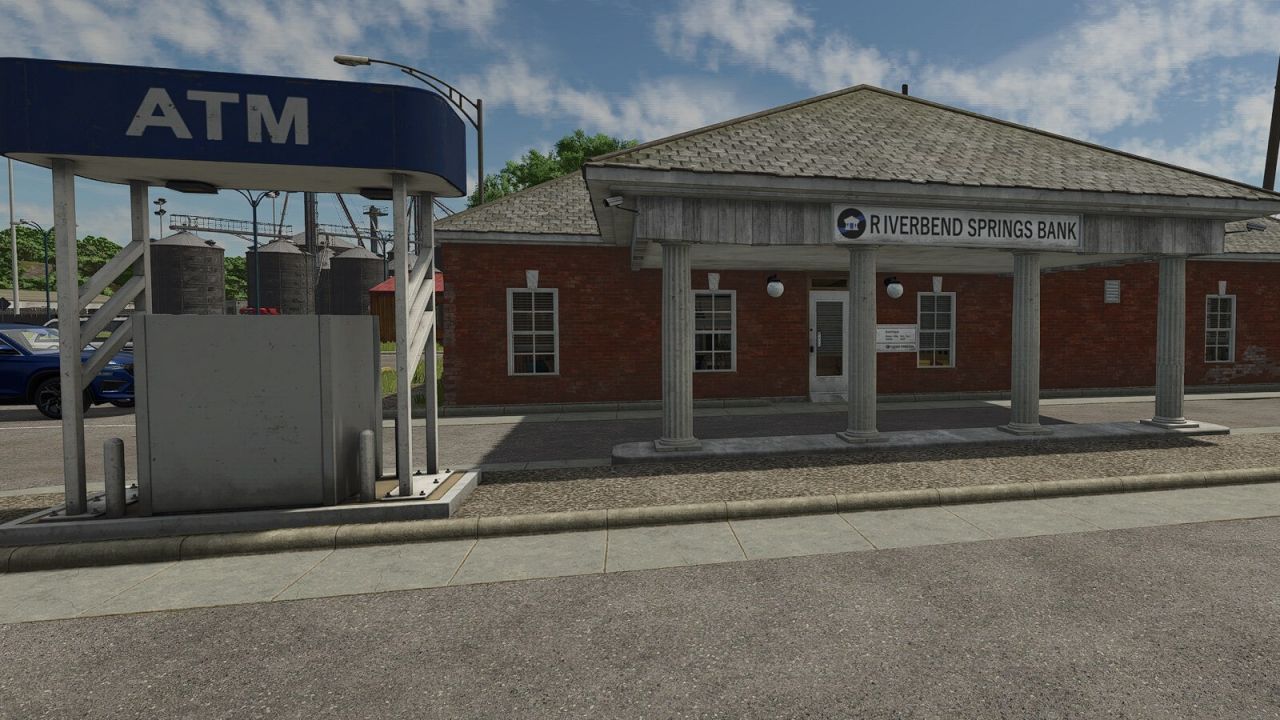
The tax goes to a farm you choose as the VAT recipient, for example a tax office or a municipality.
IN SHORT
Purchases are net prices: the VAT is added to the displayed game price (setting “Added on top”, default).
With the setting “Included in price”, purchase prices are gross prices as well.
Sales are always gross prices: the VAT is contained in the revenue, it is extracted and paid to the VAT recipient.
Transfers between farms are always gross amounts: the receiving farm pays the contained VAT.
SETTINGS (game settings > VAT, administrators only)
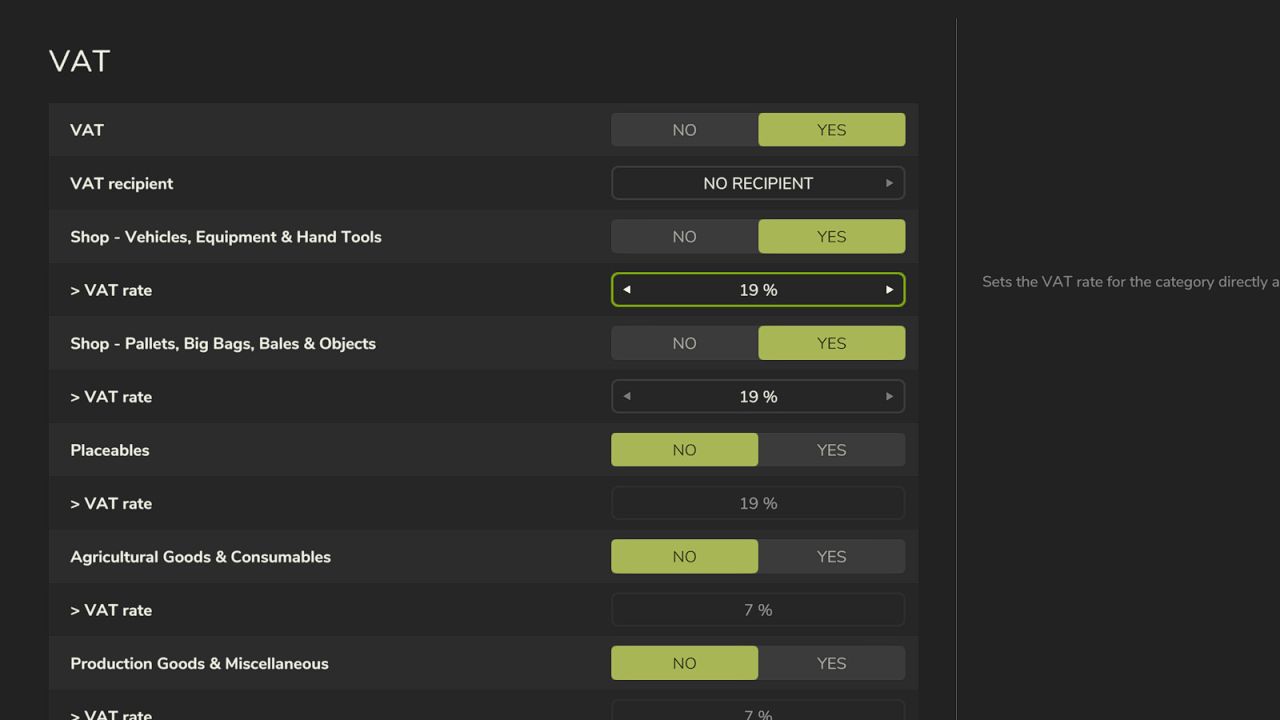
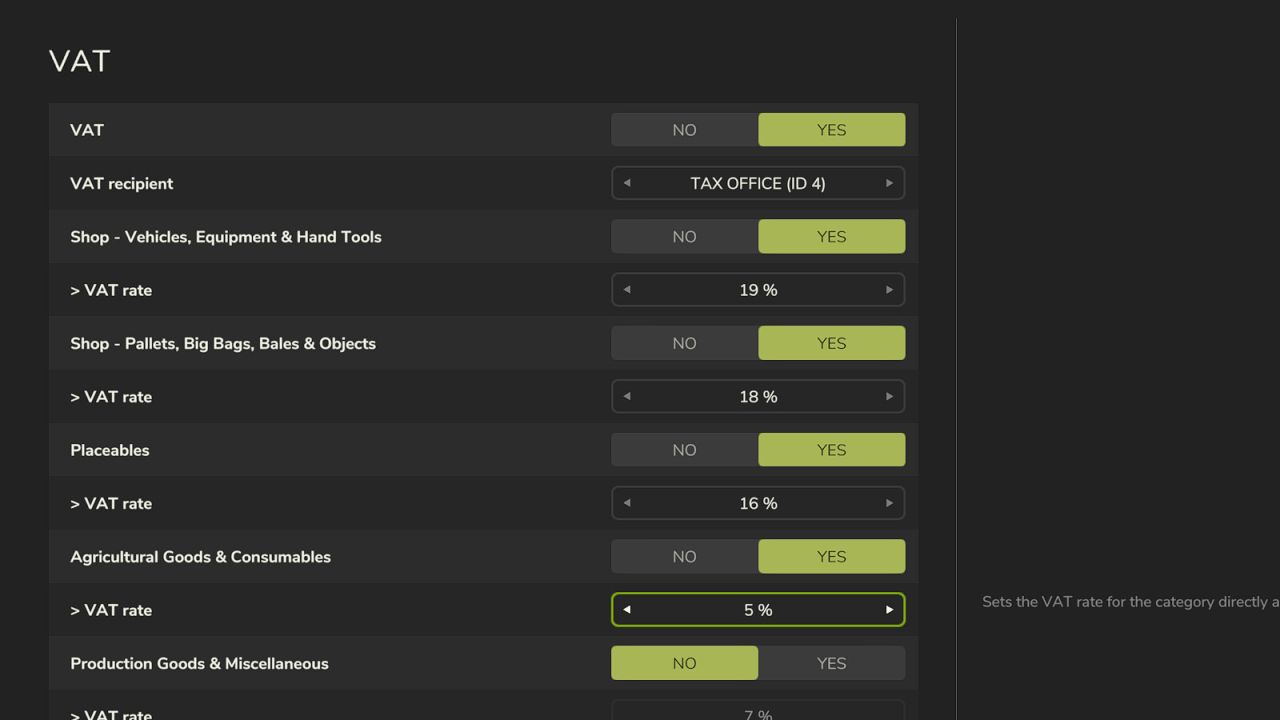
VAT: switches the whole system on or off
VAT recipient: the farm that receives the VAT. Without a VAT recipient no VAT is calculated.
VAT on purchases: applies to all purchases (shop, construction menu, buildings, farmland, animals, consumables)
Added on top: game prices are net prices, the VAT is added on top.
Included in price: game prices are gross prices, the VAT is already included.
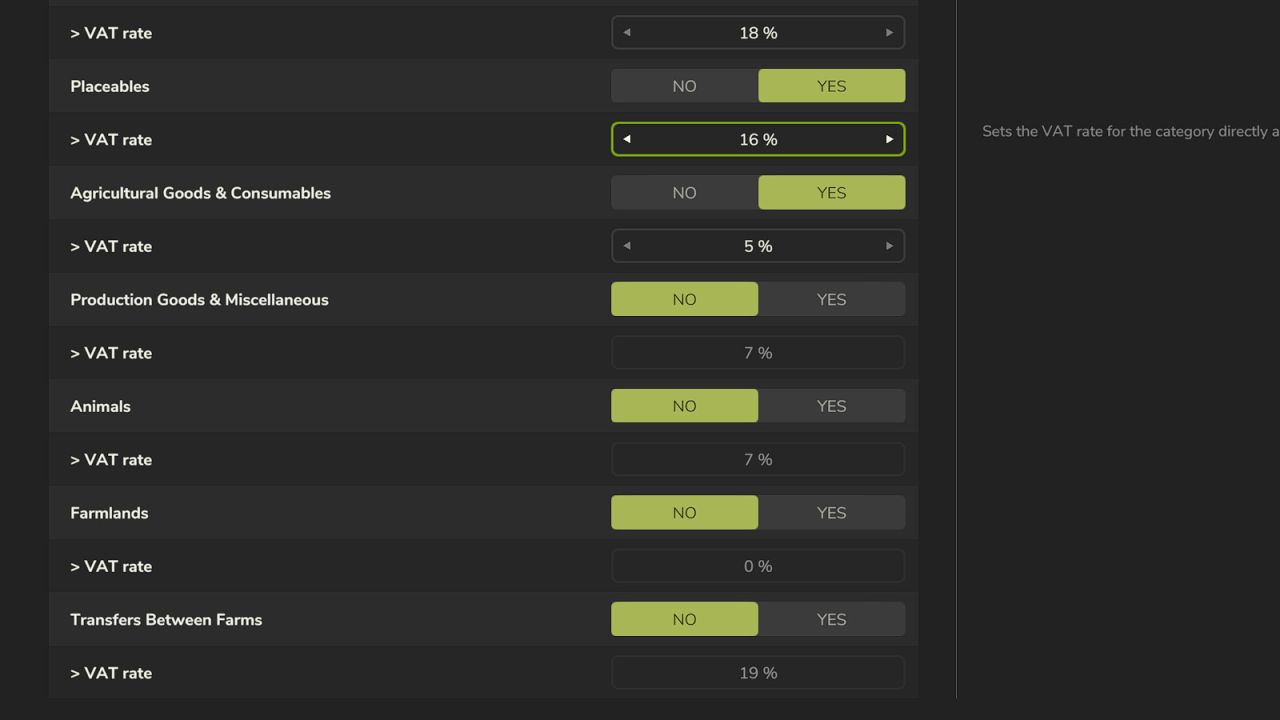
Each category can be switched on and off separately, with its own rate from 0 to 30% in 1% steps
The settings are saved with the savegame and synchronized in multiplayer.
CATEGORIES AND WHAT IS TAXED
Shop – Vehicles, Equipment & Hand Tools (on, 19%): purchase in the shop (incl. used vehicles) and sale
Shop – Pallets, Big Bags, Bales & Objects (on, 19%): purchase in the shop
Placeables (off, 19%): purchase in the construction menu, purchase of existing buildings and productions on the map, sale
Agricultural Goods & Consumables (off, 7%): sale of crops at selling points and by train
Production Goods & Miscellaneous (off, 7%): sale of all other goods at selling points and by train as well as sales from the production menu, direct sale from productions and other directly booked sales
Animals (off, 7%): purchase and sale at the animal dealer, incl. transport fee
Farmlands (off, 0%): purchase and sale
Transfers Between Farms (off, 19%): the receiving farm pays the VAT
Purchase of Consumables (on, 19%): seeds, fertilizer, lime, fuel, water, consumables and pallets
from buying stations, silo refills and automatic purchases by helpers
The values in brackets are the defaults for new savegames.
HOW IT IS CALCULATED
Purchases with “Added on top”: the game books the net price, the VAT is charged separately.
Example at 19%: tractor with a game price of €100,000 (net) – the shop shows €119,000,
€100,000 + €19,000 VAT are booked.
Purchases with “Included in price”: you pay the displayed price, the VAT contained in it goes to the VAT recipient.
Sales: the revenue is always a gross amount. The contained VAT is deducted from the revenue.
Example at 19%: sale for €8,000 – you keep €6,723, the VAT recipient receives €1,277.
Transfers: the amount is always gross, because the transfer window cannot show the VAT.
The receiving farm gets the full amount and pays the contained VAT.
Example at 10%: €1,000 transferred – the recipient pays €91, €909 remain.
Amounts are rounded to whole euros. When unloading or filling, fractions are carried over so that the total is correct.
WHERE NET AND WHERE GROSS PRICES ARE SHOWN (“Added on top” mode)
Shop: prices incl. VAT. The cost calculation shows base price and options net,
a separate “VAT” line and the total gross. The purchase question names the contained VAT.
Surcharges of single configuration options are shown net.
Construction menu: list and placement price incl. VAT, without a separate VAT line.
Existing buildings and productions on the map: the purchase question shows the net price with “plus … VAT (total …)”.
Farmland map: the value is shown net with the hint “plus x % VAT”, for your own land “incl. x % VAT”.
The purchase and sale question names the VAT.
Animal dealer: prices net, the total line shows “plus x % VAT”, when selling “incl. x % VAT”.
The purchase and sale question names the VAT.
Silo refill: the dialog and the purchase question show the net price with “plus … VAT”.
Buying stations, helper purchases, fuel and water: no price display with VAT, the VAT is charged additionally.
Selling vehicles, placeables and productions: the sale question shows the price with “incl. … VAT”.
Prices in the price overview and at selling points: always gross, without a hint.
Transfer window: gross, without a hint.
The VAT appears as a separate “VAT” message in the top right corner and as a separate row in the finance overview.
WHAT IS NOT TAXED
Leasing (leasing fee and running leasing costs)
Running, maintenance and repair costs, wages for helpers, production costs
Contract income (missions), loans and interest, income and upkeep of buildings
Free items
Purchases and sales of the VAT recipient itself, and payments of the VAT recipient to other farms (e.g. subsidies)
(multiplayer only, see single player below)
Categories that are switched off or have a rate of 0%
Purchases and sales of other mods that use their own buying or selling systems bypassing the game functions
NOTES
New savegames start with “Added on top”. Savegames from version 1.0.0.0 keep “Included in price”
and the new category “Purchase of Consumables” stays off there until an administrator changes it.
In “Added on top” mode the game checks for some purchases only whether there is enough money for the net price.
The balance may therefore go slightly negative after the purchase.
Productions set to “Sell” sell their goods automatically every full hour. VAT is deducted from these sales
as well (Production Goods & Miscellaneous). No price is shown beforehand, the VAT appears only in the finances.
In multiplayer the server books the VAT. The server and all players need the same version of the mod.
Single player: select your own farm as VAT recipient. It then stands for the state: VAT is charged as usual,
but credited to no farm. The mod is most useful in multiplayer with a separate farm as VAT recipient.
IMPORTANT
This is a fictional tax system for gameplay and roleplay purposes.
It does not represent the tax law of any specific country (for example there is no input tax deduction)
and is no tax or legal advice.
V1.1.0.0
New setting VAT on purchases: VAT added on top of the purchase price (net prices) or included in the price
New category Purchase of Consumables (buying stations, silo refills, helper purchases, fuel, water)
VAT now also applies when selling vehicles, equipment, hand tools, placeables and farmland
VAT now also applies when buying existing buildings and productions on the map
VAT now also applies to sales by train, from the production menu and direct sales from productions
VAT also applies to the automatic hourly sale of productions set to Sell (no prior display)
Transfers: the receiving farm gets the full amount and pays the VAT; payments made by the VAT-recipient farm are tax-free
Shop: cost calculation with a separate VAT line; prices include VAT
Construction menu: prices include VAT
The farmland map, animal dealer and silo refill show the VAT
Purchase and sale confirmation messages mention the VAT (including the silo refill confirmation)
Single player: the player™s own farm, as the VAT recipient, represents the state; VAT is charged but credited to no farm
Multiplayer: the VAT-recipient farm itself sees no VAT displays because it does not pay VAT
Compatible with Precision Farming (farmland map with price per hectare)
VAT appears as a separate message in the top-right corner, and as one summary message when unloading
Fixed: VAT when unloading was rounded down per step and was therefore too low
Fixed: error when saving in savegames that had not been saved yet
Revised description and tooltips
HF Modding / ODGEE


