RollingRon Mod Manager PROFI V2.2.0.0 FS25

RollingRon Mod Manager PROFI V2.2.0.0 FS25
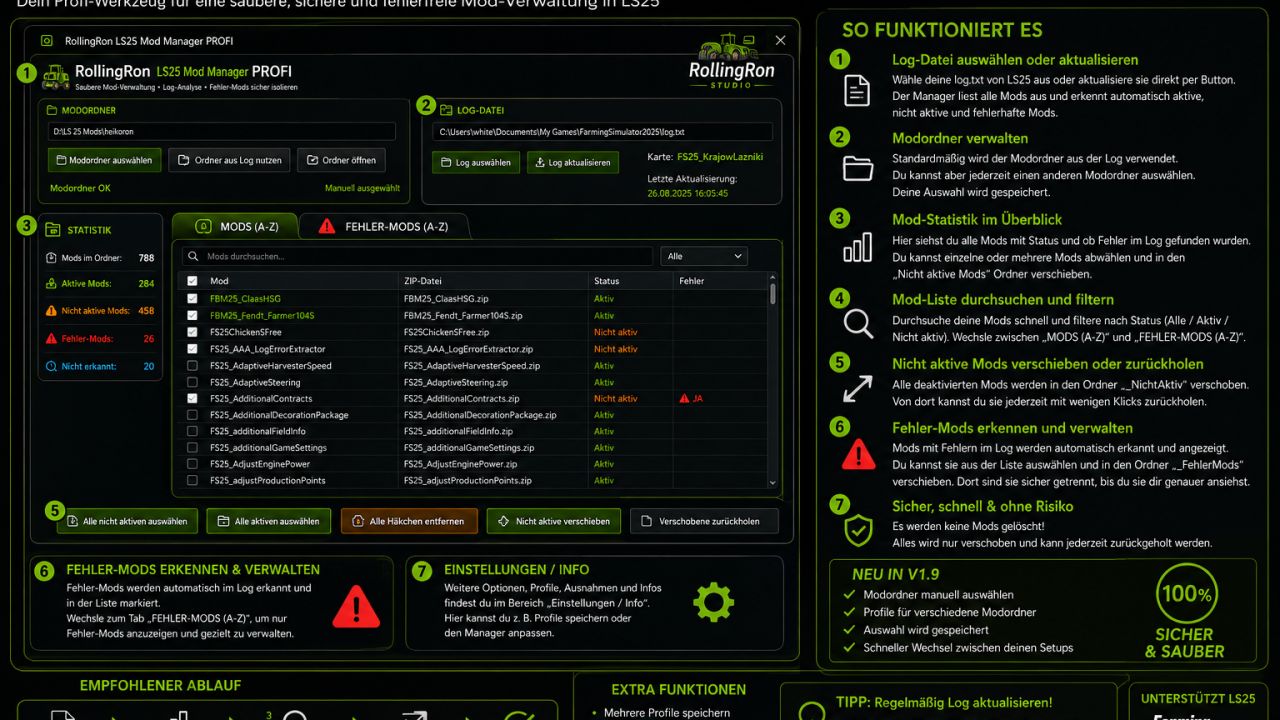
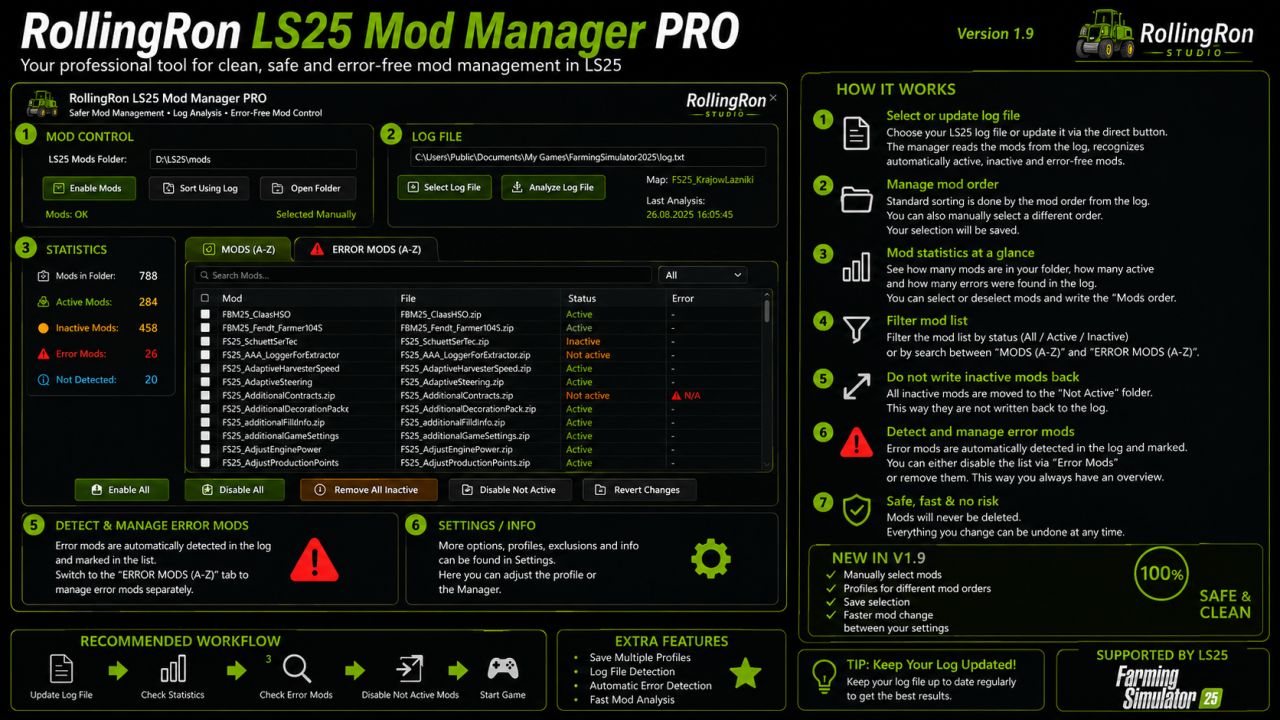
The RollingRon FS25 Mod Manager PROFI helps you quickly locate active, inactive and faulty mods – without having to laboriously search for them in the LS25 mod menu or in your mod folders. The mods are automatically detected based on the LS25 log and displayed clearly. Unneeded or faulty mods can be safely moved aside and restored at any time – without deleting them. Ideas, requests or suggestions for improvement? Feel free to write them in the comments!
RollingRon FS25 Mod Manager PROFI
No more cluttered mod folders and tedious searches for unused or faulty mods.
The RollingRon FS25 Mod Manager PROFI is a standalone management and analysis tool for Farming Simulator 25.
The program evaluates the LS25 log.txt and compares the mods detected in it with your selected mod folder.
Features
Select the mod folder manually
Automatically use the mod folder from the FS25 log
Select and update the FS25 log.txt at any time
Display mods alphabetically from A–Z
Detect active mods
Detect inactive mods
Detect and assign faulty mods based on the log
Display mods that could not be clearly identified
Search and filter mods specifically
Select individual or multiple mods
Select all inactive mods with one click
Move inactive mods out of the active mod folder
Restore moved mods at any time
Isolate faulty mods separately
Restore faulty mods
Display error details from the log
Export detected errors as a TXT file
No mods are deleted
The manager deliberately follows a safe principle.
When moving mods aside, the selected mods are not deleted but moved to separate folders.
This means they can be restored at any time later.
Error analysis
The integrated error section analyzes the current FS25 log and attempts to assign error messages to the corresponding mods.
Detected faulty mods are displayed separately and alphabetically.
This makes it much quicker to investigate a problematic mod folder.
Ideal for large mod folders
Especially with several hundred FS25 mods, it quickly becomes unclear which mods are actually being used.
The RollingRon LS25 Mod Manager PROFI provides a clear separation between active,
inactive, faulty and not clearly identified mods.
Installation
Fully extract the download.
Start RollingRon FS25 Mod Manager PROFI.
Select the FS25 log.txt.
Select the desired mod folder or automatically use it from the log.
Analyze and manage the mods.
Important: A backup is generally recommended before making extensive changes to the mod folder.
For mods that are required by vehicles, buildings, productions or other content in a savegame,
check before moving them aside whether they are still needed.
This version is not final. Suggestions for improvement are welcome in the comments.
Developed by RollingRon
V2.2.0.0
Compared to V2.1, the Manager has been significantly expanded, especially for log analysis and management:
New warning analysis: Warnings from the LS25 log are now detected and assigned to the corresponding mods.
Warning assessment: The Manager distinguishes between CRITICAL and NON-CRITICAL warnings. This classification is intended as an analysis aid and does not automatically mean that a warning causes the game to crash.
Dedicated WARNINGS section: With preview images, number of warnings, assessment, log line and first warning message.
Separate warning storage: Critical and non-critical warning mods can be moved to two separate, freely selectable folders.
Restore warning mods: Moved mods can be returned to the mod folder at any time.
Copy active mods: Active mods can be selected and copied to another freely selectable folder without removing them from the original mod folder. Ideal for creating your own mod sets for different maps or savegames.
Improved live statistics: After moving error or warning mods, the displayed numbers are adjusted immediately.
Updated lists: Moved error and warning mods also disappear immediately from the respective overview and preview.
Expanded storage management: Separate folders for inactive mods, error mods, critical warnings and non-critical warnings.
Expanded antivirus scanner assistance: Instructions for Windows Defender, Norton and Bitdefender are included in the documentation.
RollingRon